Pipeline you can trust
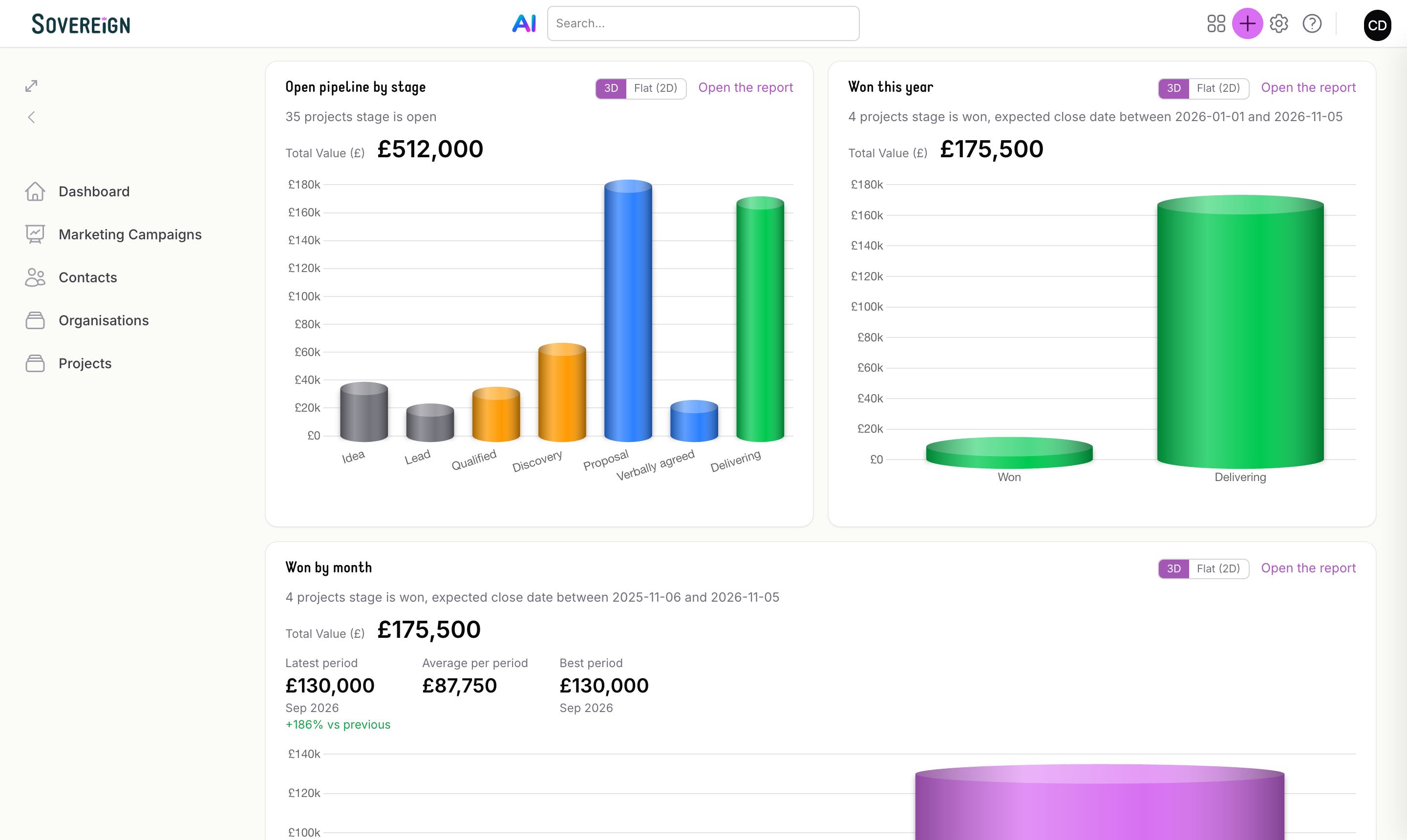
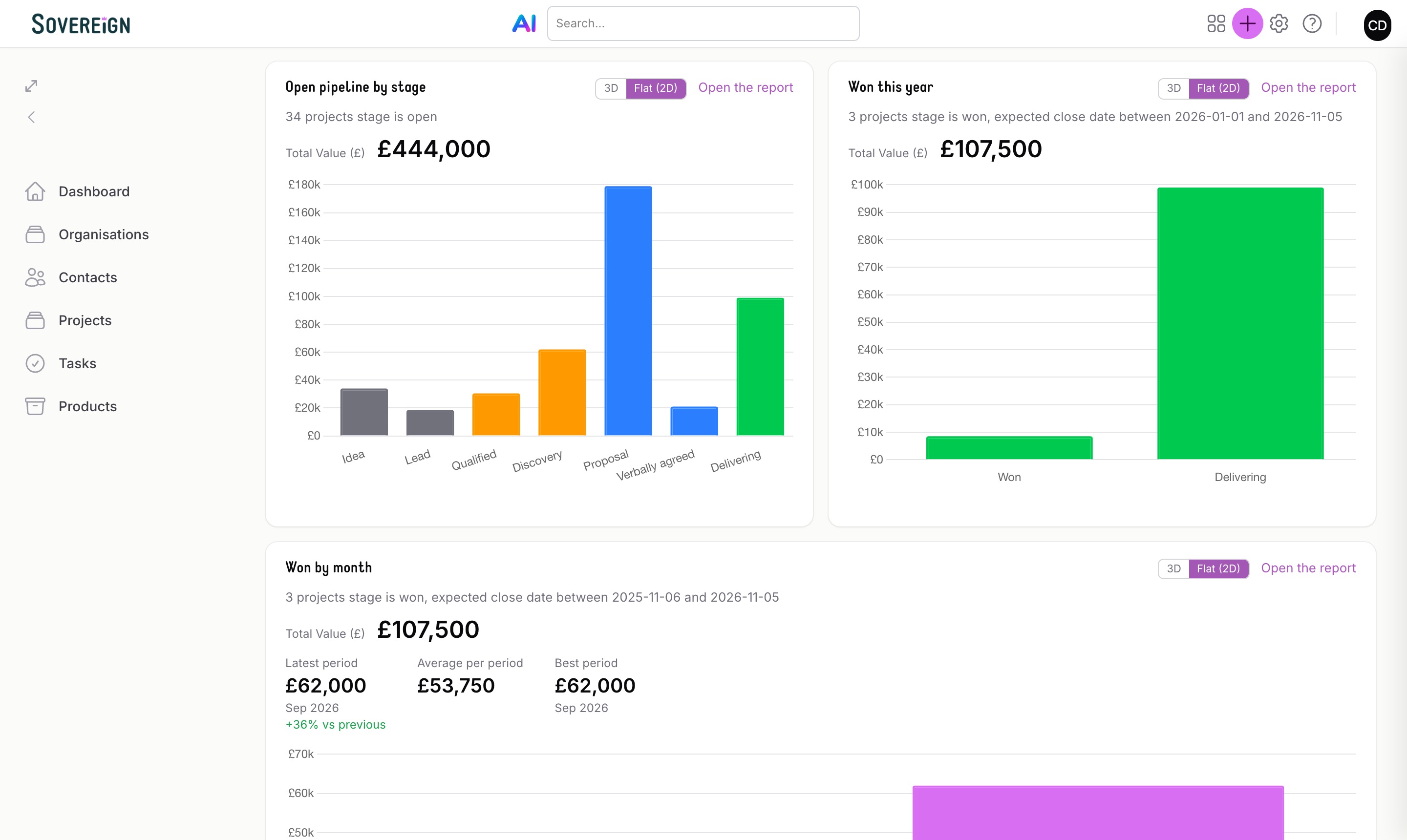
Every opportunity is a project with a stage, a value and a close date. See what is open, won and slipping without chasing anyone for an update.

Your clients, marketing, pipeline, projects, support and reporting in one place, shaped around how you work. Made and hosted in the UK, and yours to rent for as long as you like, or to buy outright.
Rent it as a service, or buy it outright: a choice the big-name CRMs don’t give you.
SOVEREiGN makes income, pipeline, delivery and follow-up visible every day, so you always know what moves revenue forward, what’s blocking it, and who owns the next step.
Every opportunity is a project with a stage, a value and a close date. See what is open, won and slipping without chasing anyone for an update.
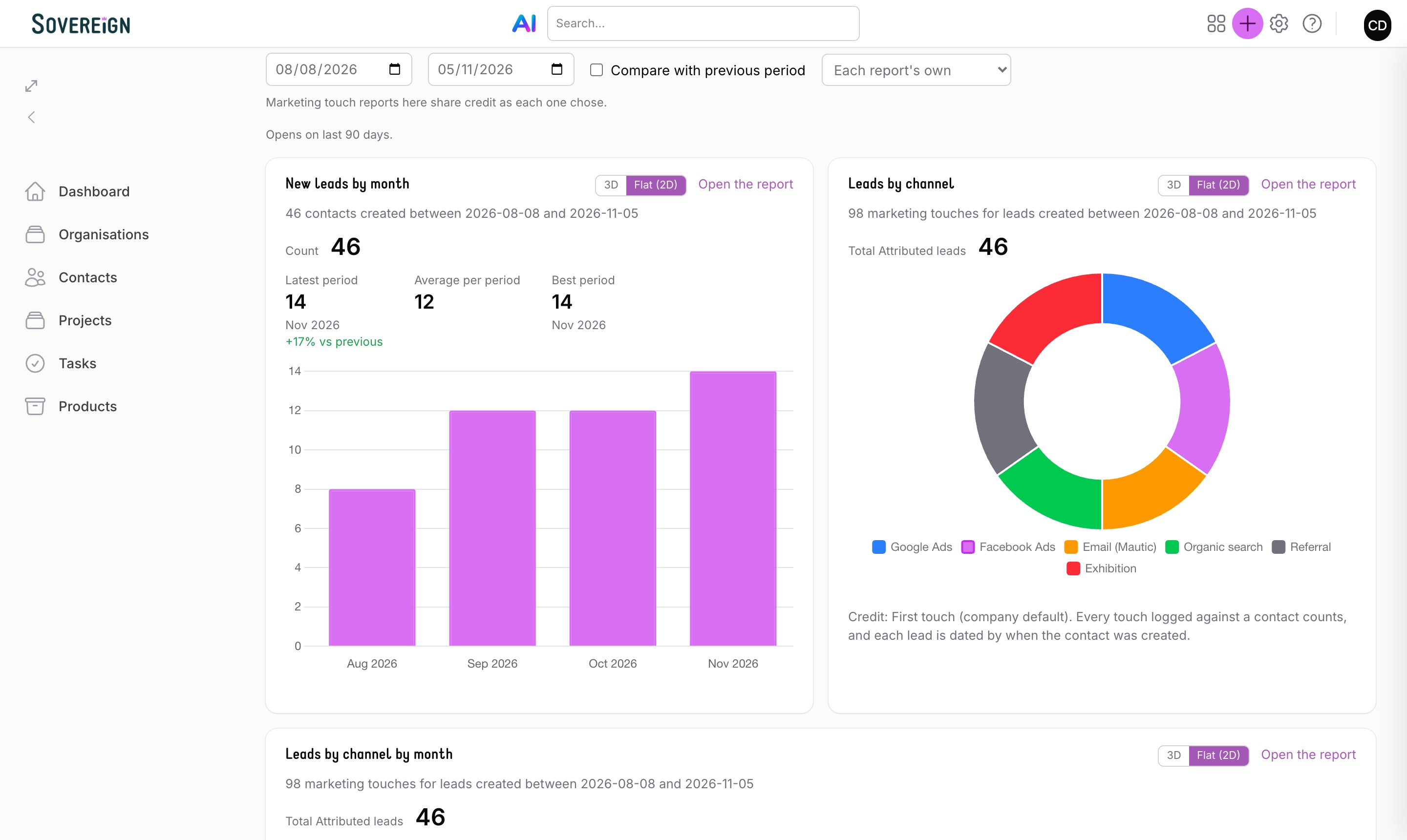
Leads and ad spend arrive from Google, Meta and LinkedIn on their own, and attribution shows which campaigns brought in the work you won.
Tasks, owners and due dates live on the client record. Overdue work surfaces on your dashboard instead of hiding in someone’s inbox.
Requests become tickets with an owner and a service level. Time is logged against each client’s monthly allowance, and the month-end report writes itself.
Record labour and materials against each project and compare the job cost with the estimate while the work is live, not months later.
Build your own reports and dashboards, click any chart to see the records behind it, and give every role a home page of the numbers it cares about.
Three example journeys, from the first enquiry to after-care. Every step happens in SOVEREiGN, and every step builds on the one before.
Hannah, practice manager at a four-site dental group, fills in a LinkedIn lead form from the IT support campaign. She lands in SOVEREiGN as a new lead with her answers, the campaign and the channel already on her record. The campaign’s spend arrives overnight.
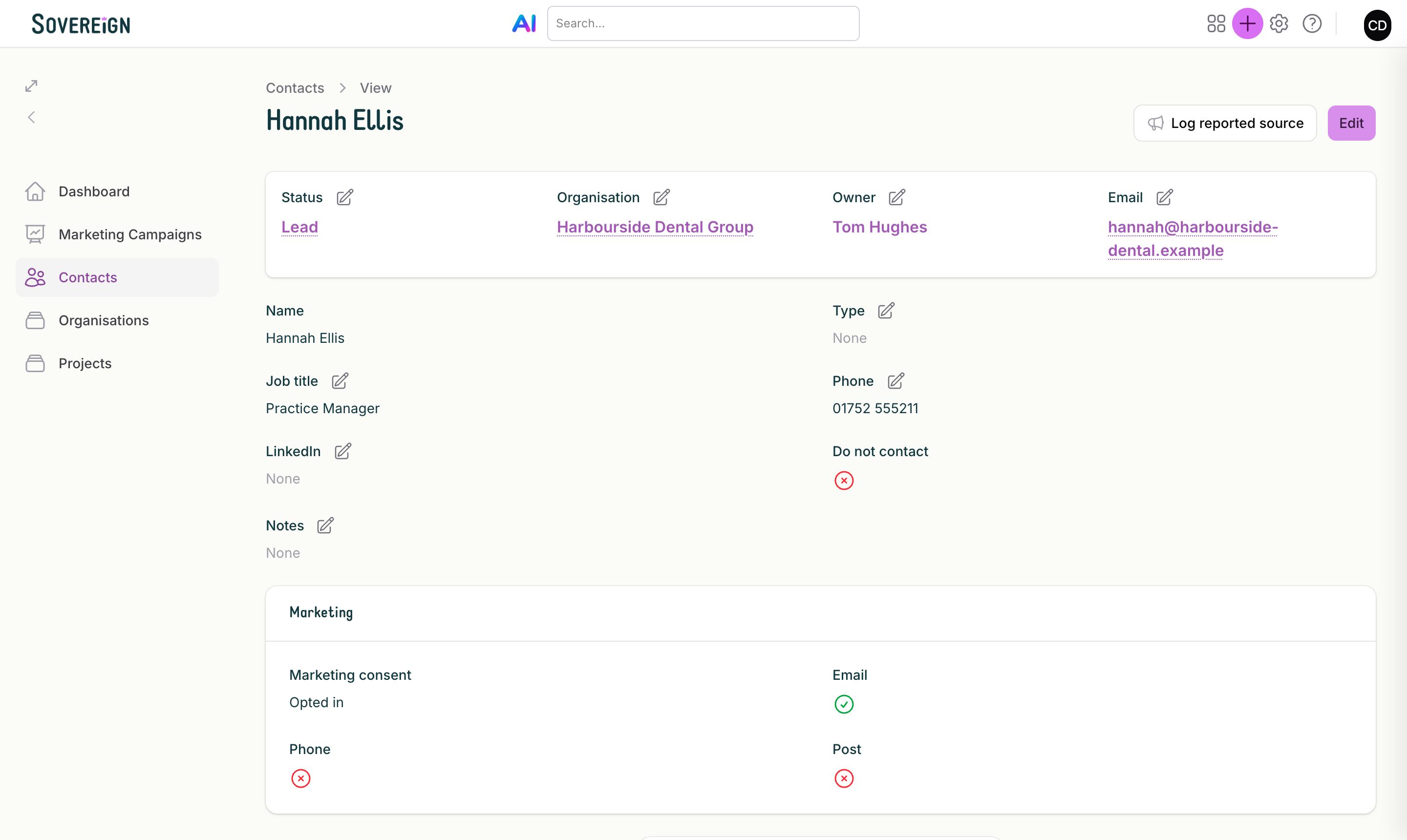
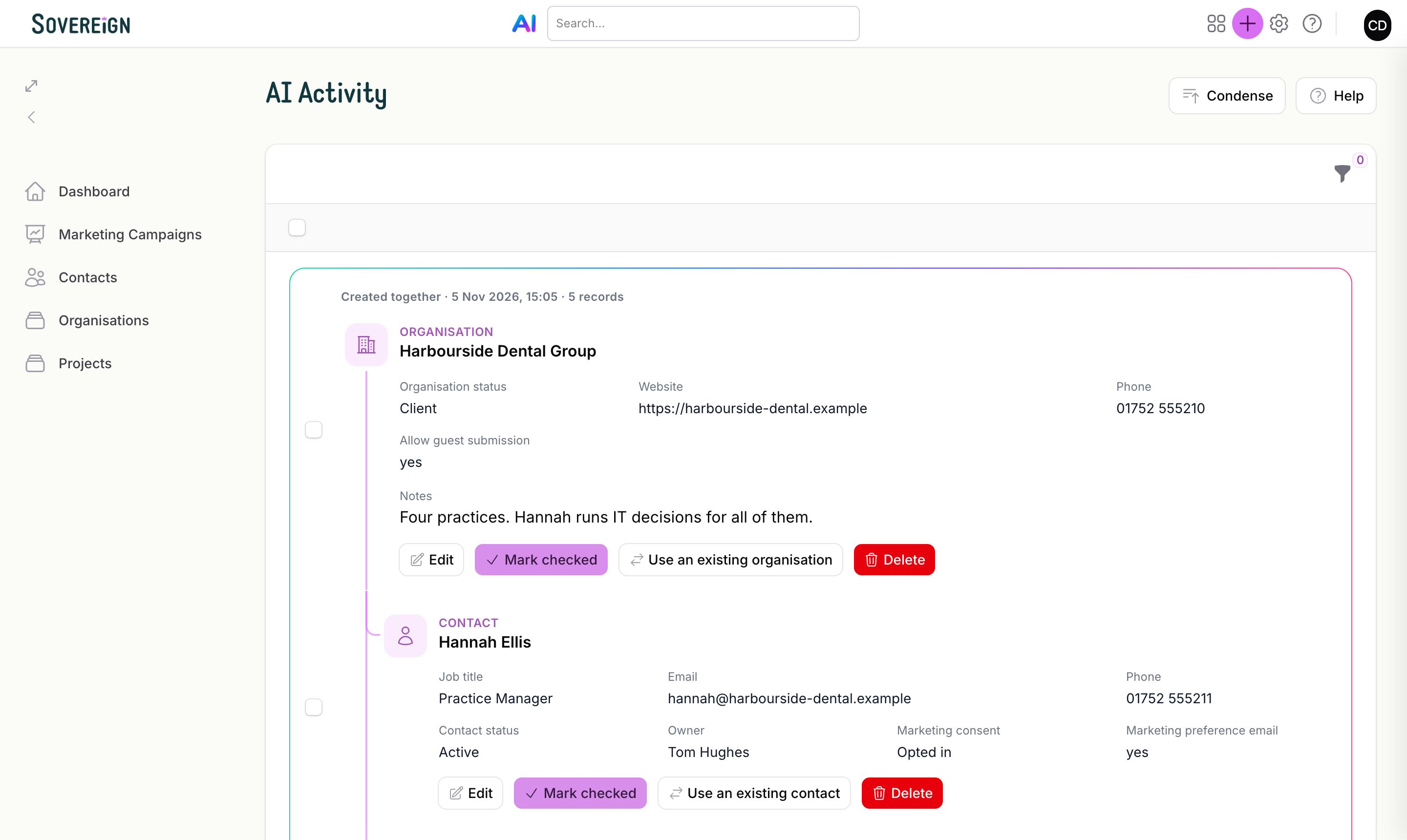
Tom calls her back, then pastes his rough notes into AI Create. It drafts the organisation, Hannah’s details, an opportunity with a value and a close date, and two follow-up tasks. Tom checks them and approves. Nothing is saved until he does.
The opportunity moves through the stages on Tom’s Sales Desk. A missed follow-up shows up on his dashboard the morning it is due, and his manager sees the pipeline, won and lost, without asking for an update.
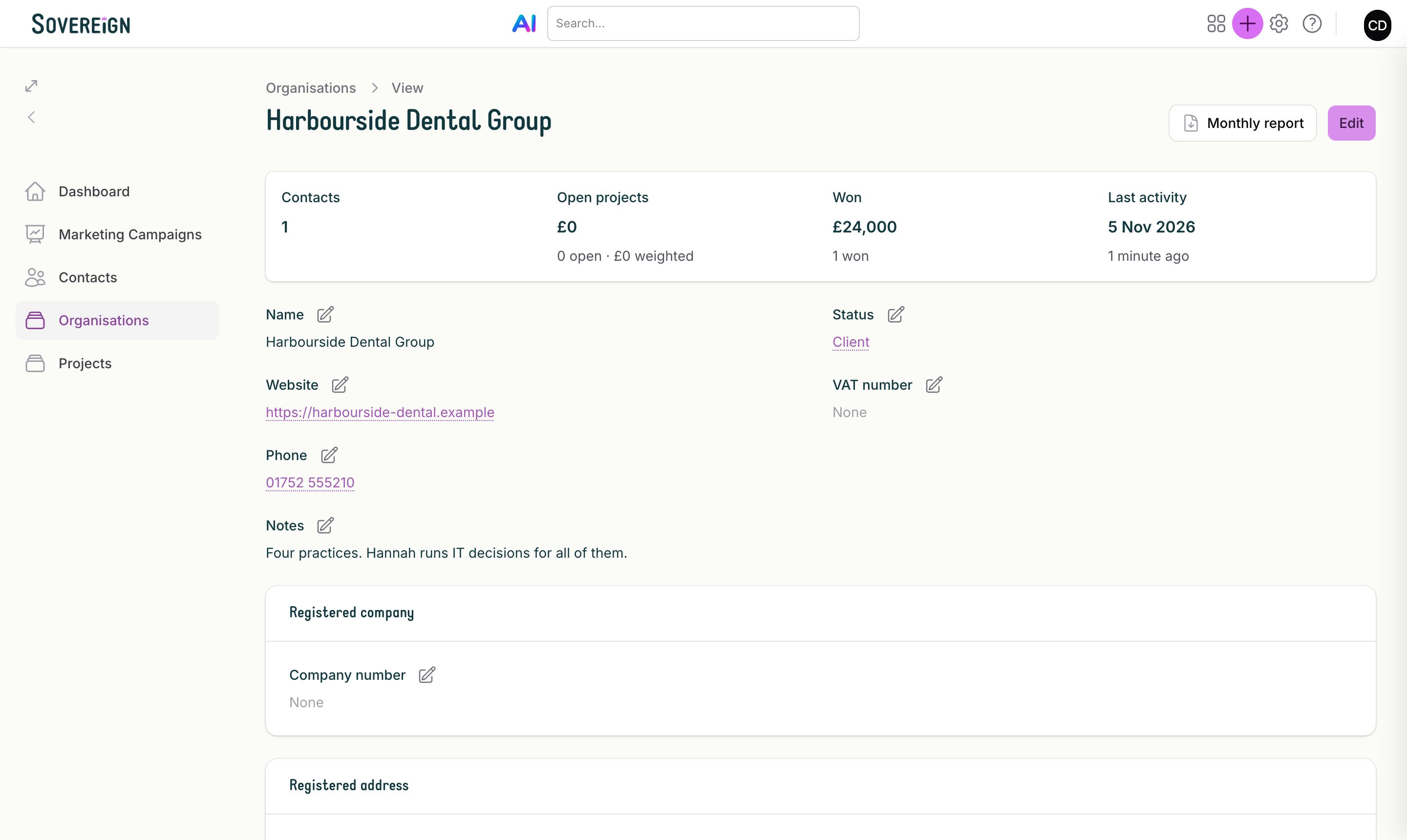
Tom marks it won. The same project record becomes the delivery job, so nothing is keyed in twice. Engineers log their time against it, the laptops and licences go on as assets, and the admin passwords go in the Vault.
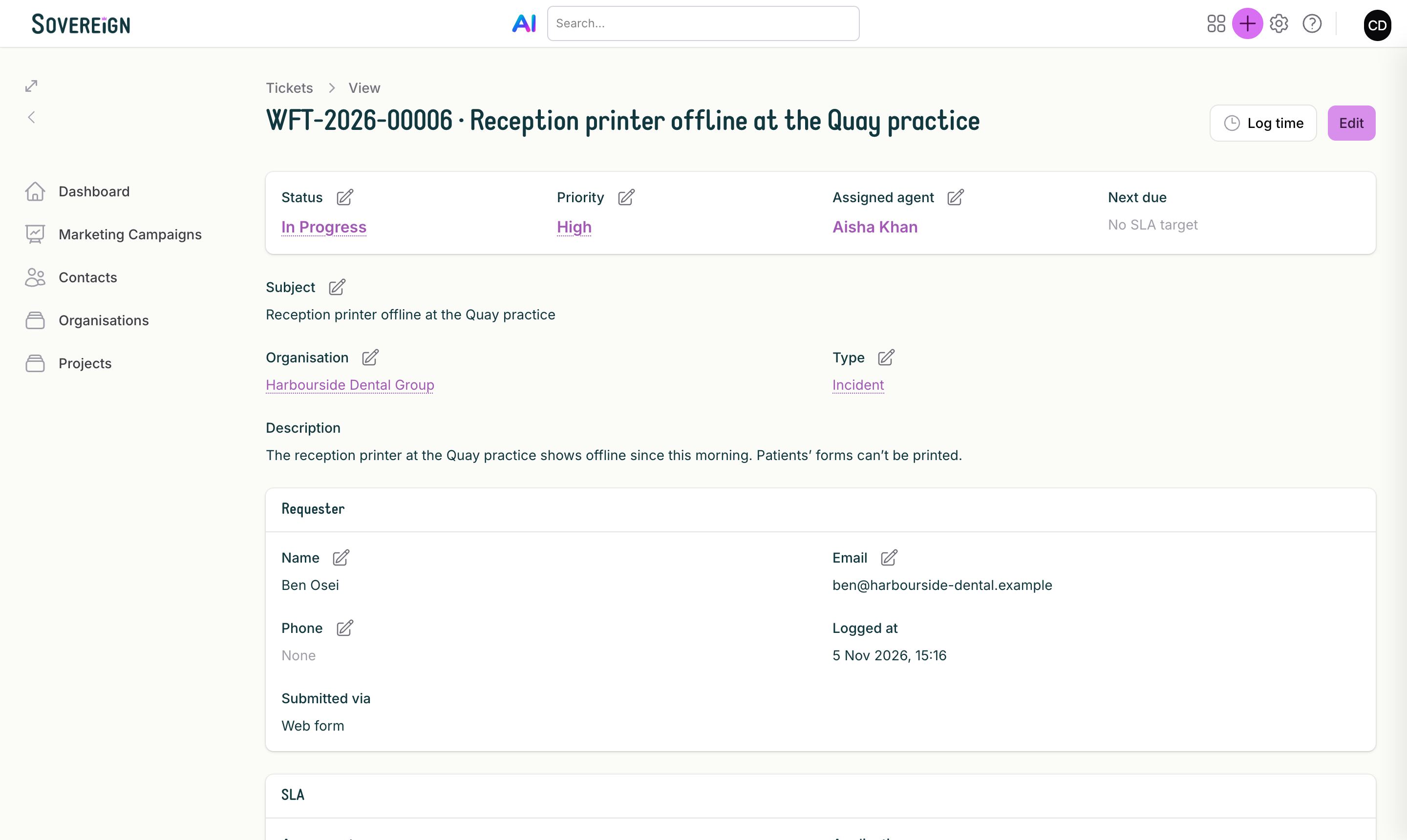
Hannah’s staff email support or use the portal, with no account needed. Aisha’s team works each request as a ticket against the practice’s agreement, the clock pauses while they wait on the client, and time comes off the monthly allowance. At month end the practice gets a service report PDF.
A satisfaction survey goes out by link. On the Marketing dashboard, the won contract is credited back to the LinkedIn campaign that started it, next to what the campaign cost. Next quarter’s budget follows the evidence.
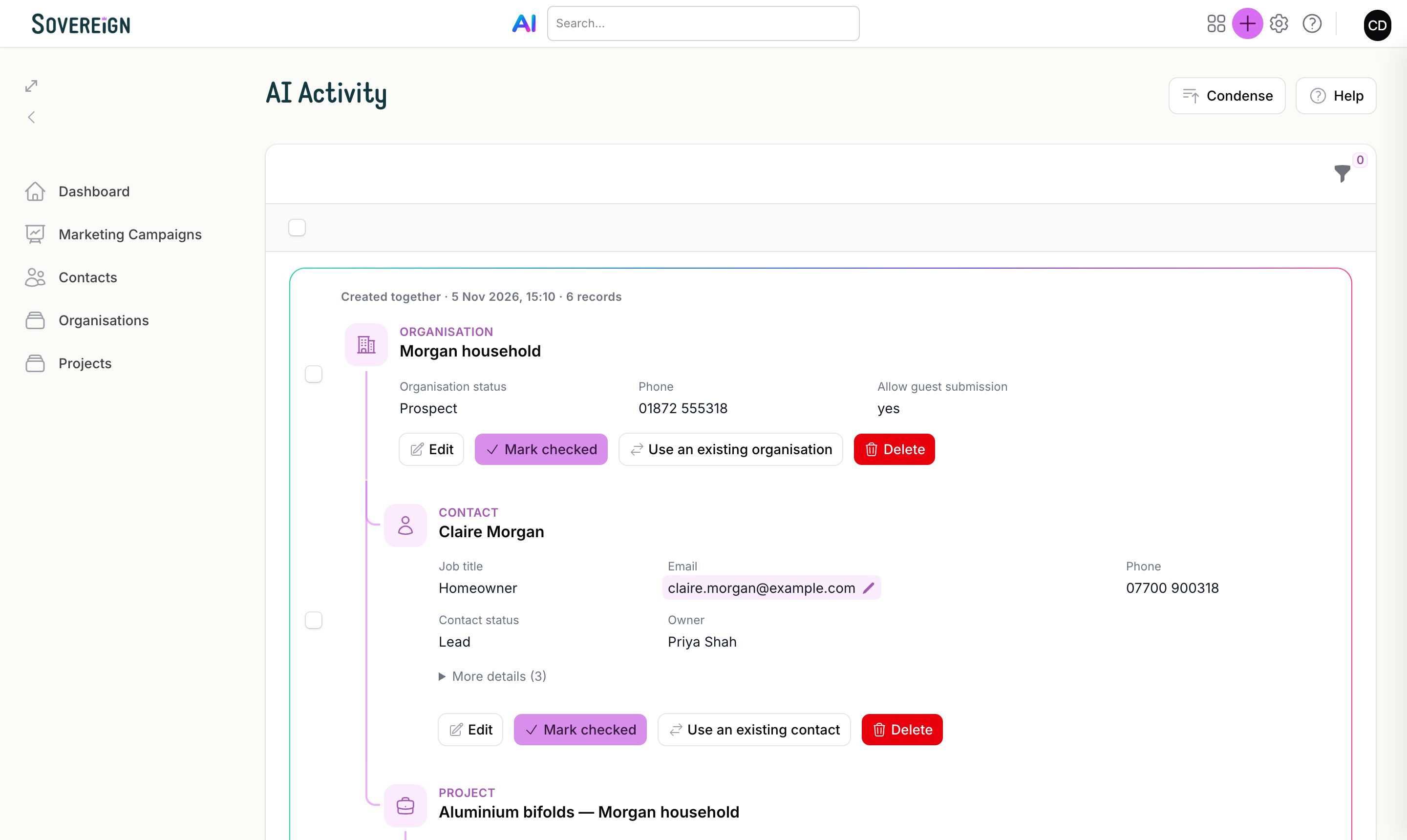
Claire taps a Facebook lead ad for aluminium bifold doors. She lands in SOVEREiGN as a new lead, with her answers, the campaign and her marketing consent already on her record.
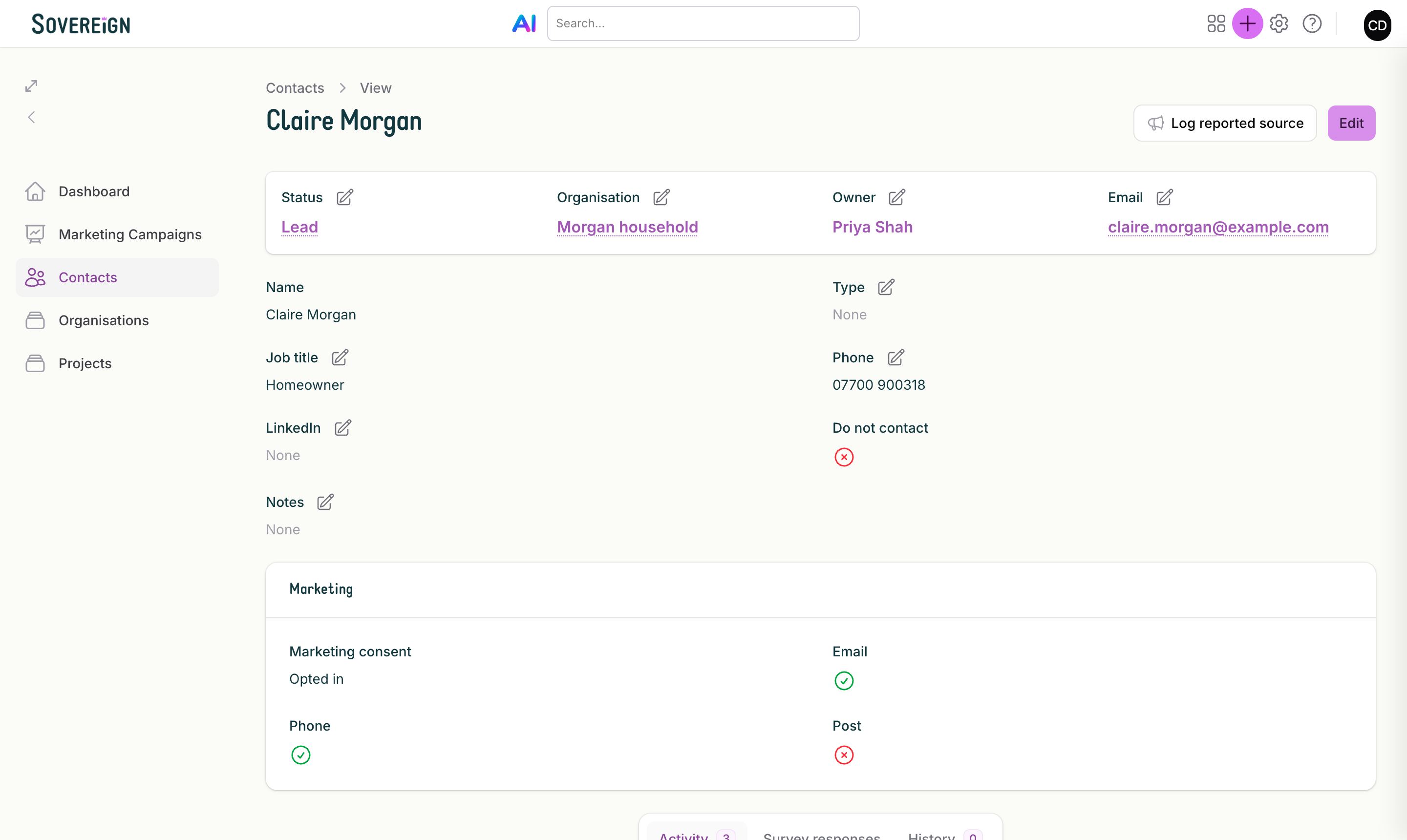
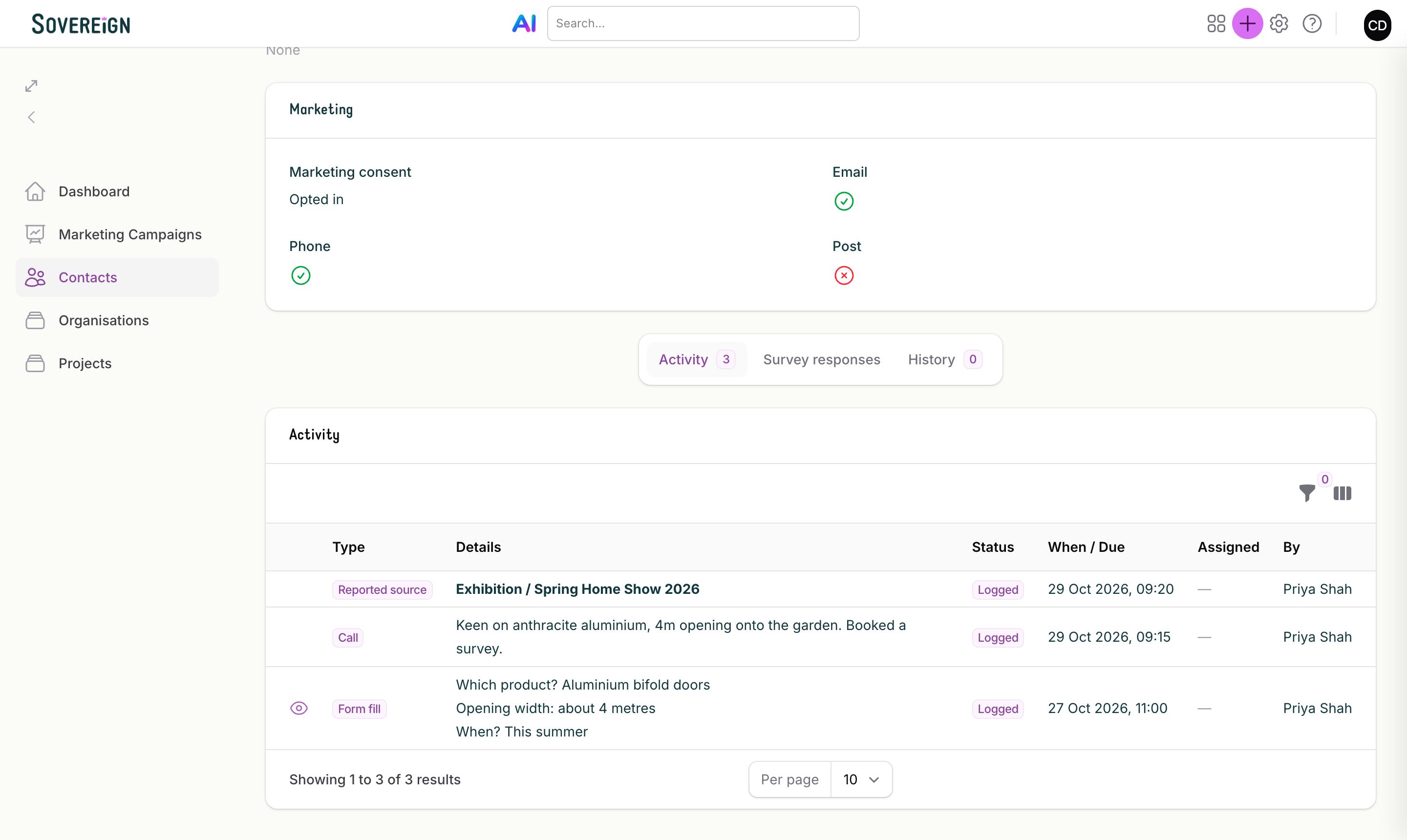
Priya, a showroom adviser, calls her back and logs the call as interested, and SOVEREiGN sets up her follow-up task. Claire first saw them at a home show last spring, so Priya records that as where she heard of them.
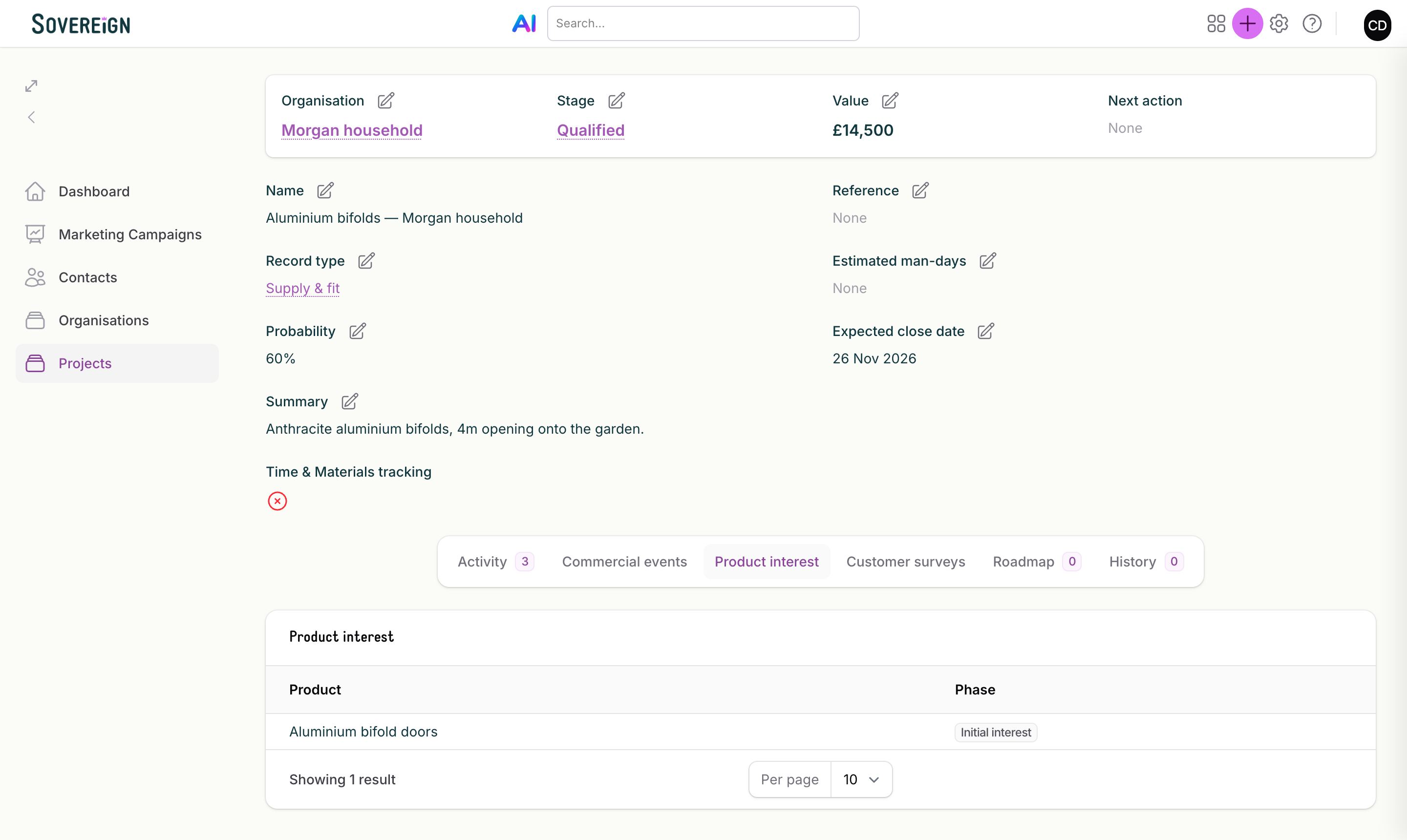
Priya opens a project with an estimated value and close date, marks it as supply and fit, and records aluminium bifolds from the product catalogue as Claire’s first interest.
Owen measures up on site, then speaks his notes into AI Create before he drives off. It drafts the site visit, the update to the project and the next tasks, and Owen checks them and approves.
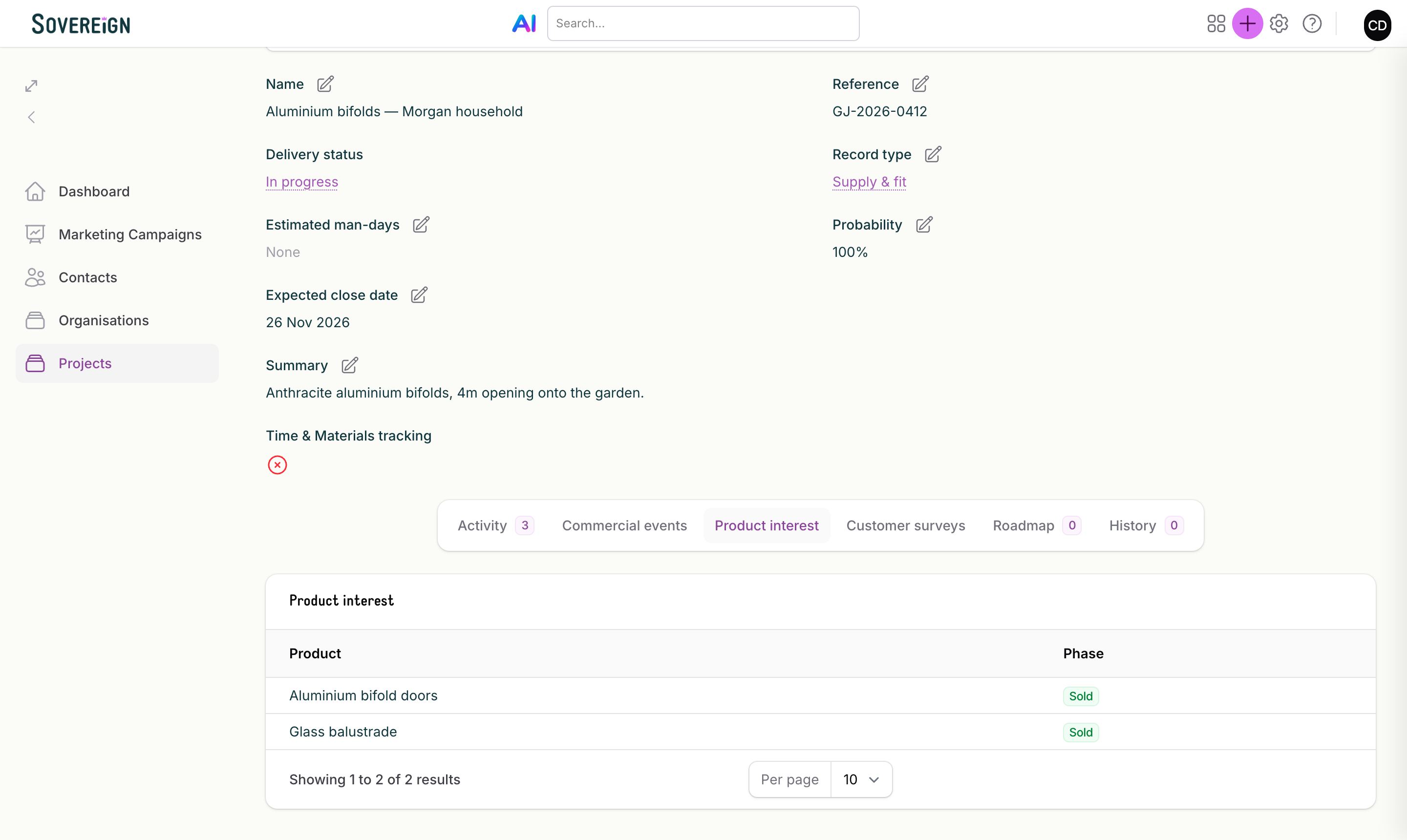
Claire says yes. The project moves to Won, the bifolds move from interest to sold, and a glass balustrade goes on as a second sale. The delivery status and the job reference follow it from the factory to fitting.
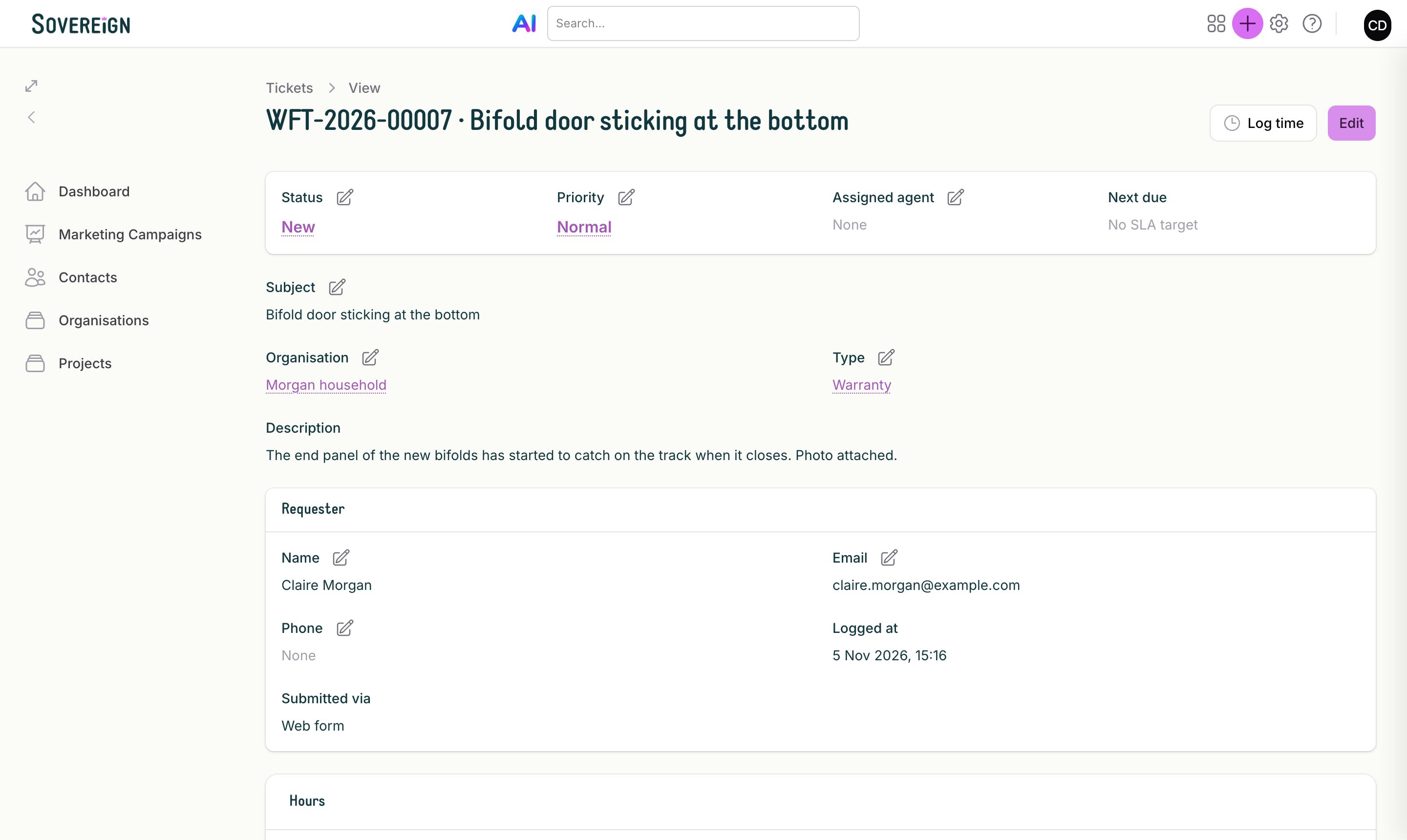
A satisfaction survey goes out by link. When a door starts to stick, Claire reports it through the public form with a photo and it becomes a warranty ticket. On the Marketing Desk, the home show’s cost sits next to the leads it produced.
Mark and Jess fill in a Google lead form about a kitchen extension. They arrive in SOVEREiGN as a new lead, with their answers and the ad click that brought them recorded against the campaign.
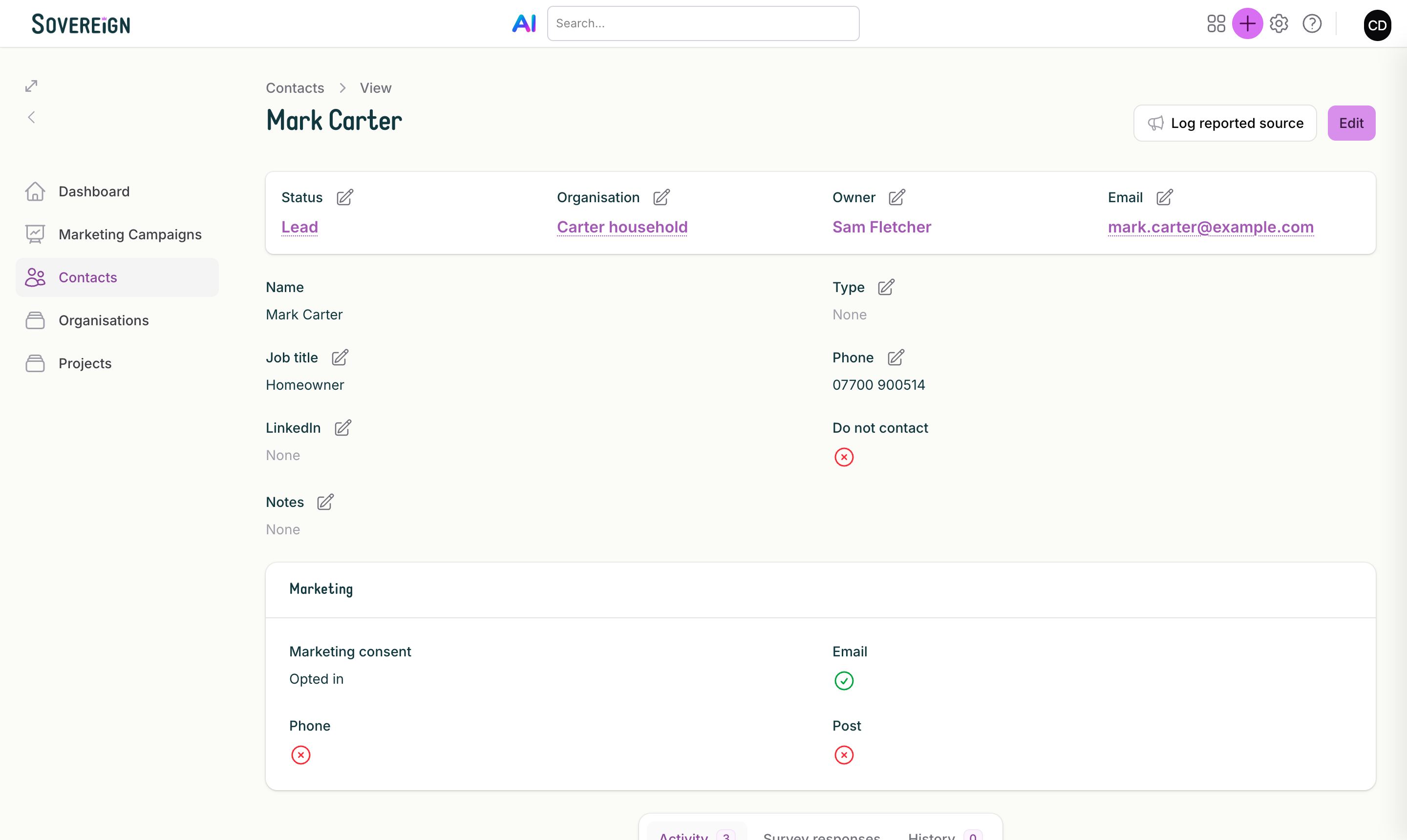
Sam, the estimator, rings them and logs how the call went, and SOVEREiGN sets up his follow-up. They were recommended by a past client, so Sam records the referral as where they heard of the firm.
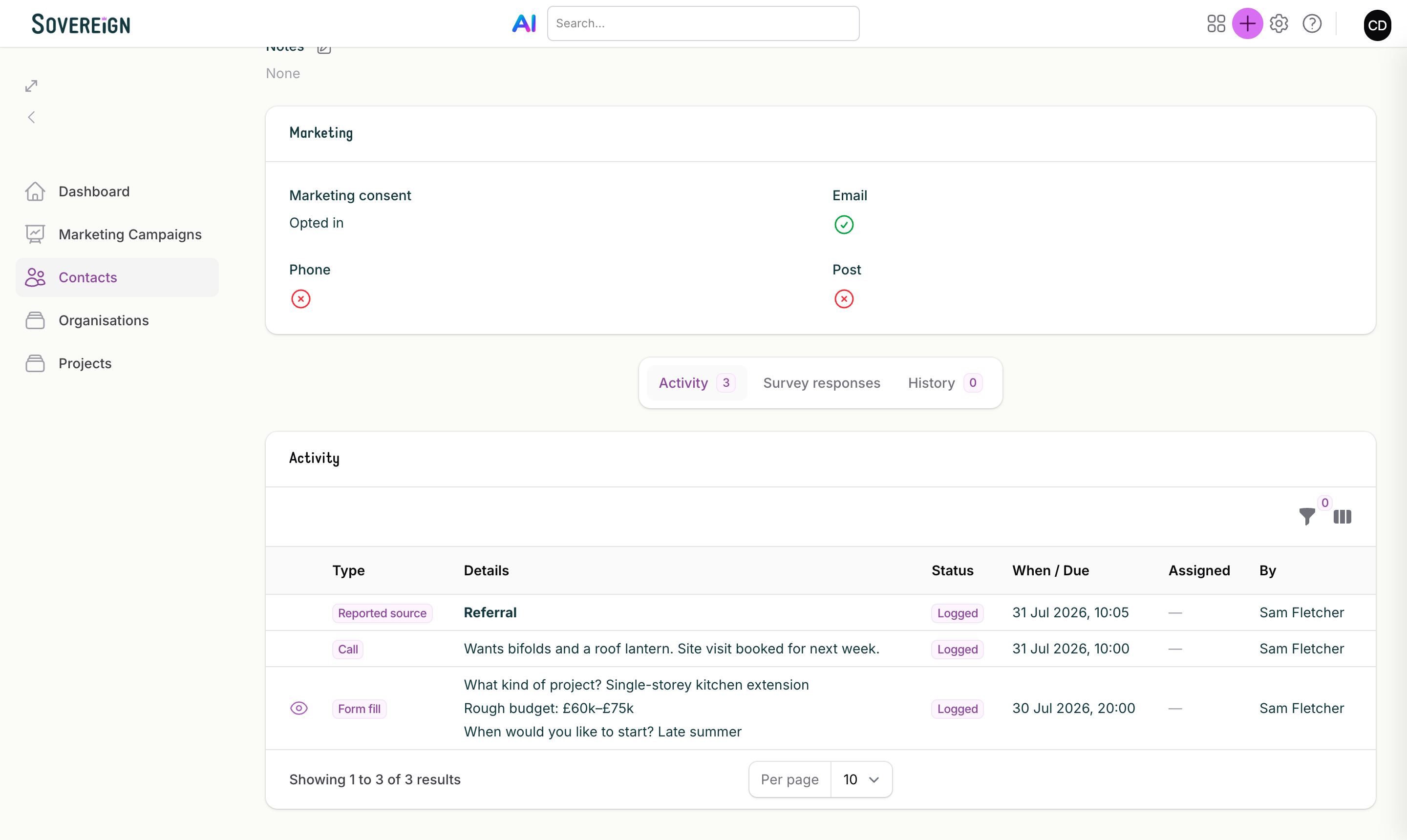
Sam visits, then dictates the brief into AI Create. The project goes on with its value, its expected close date, the record type Extension and an estimate of 80 man-days.
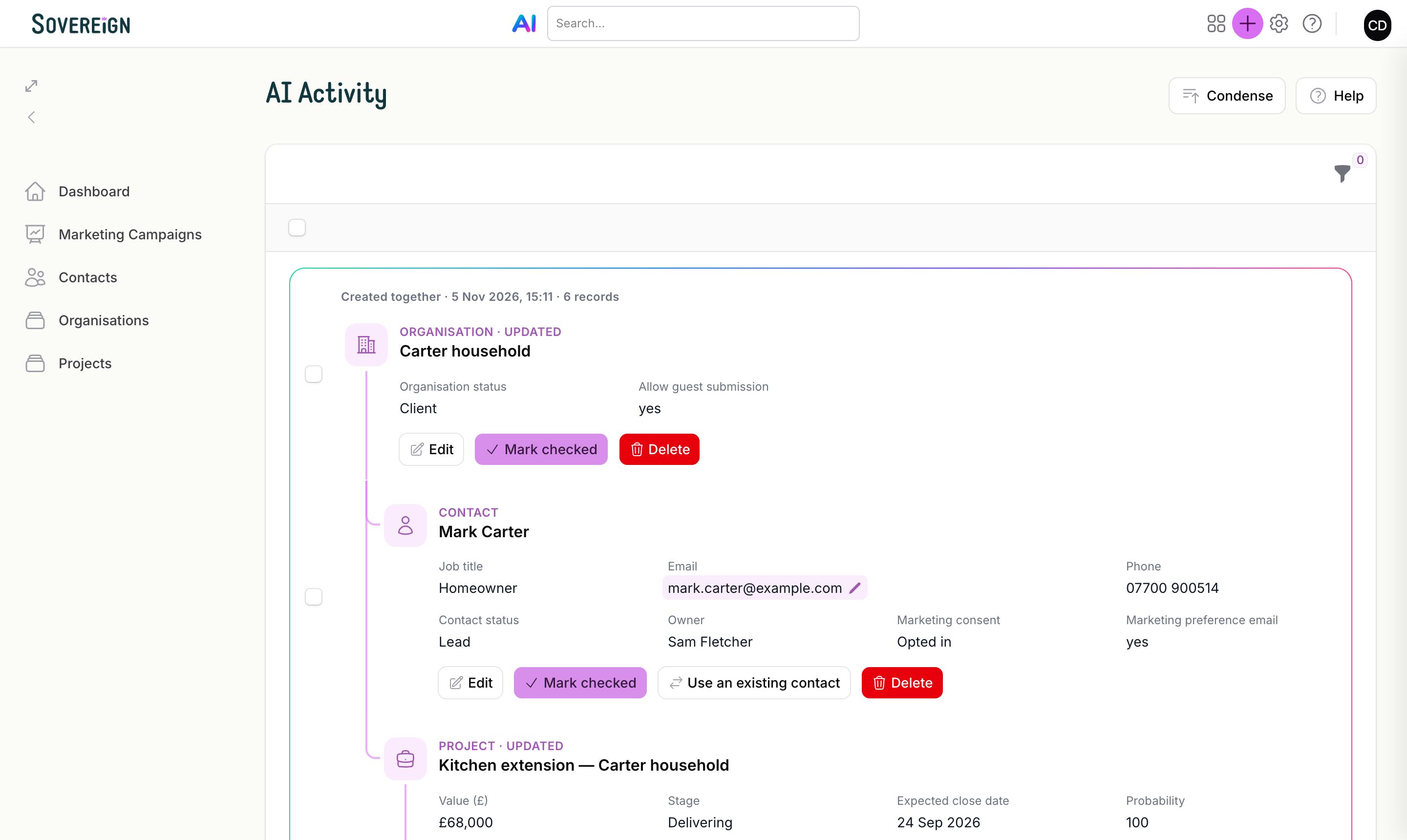
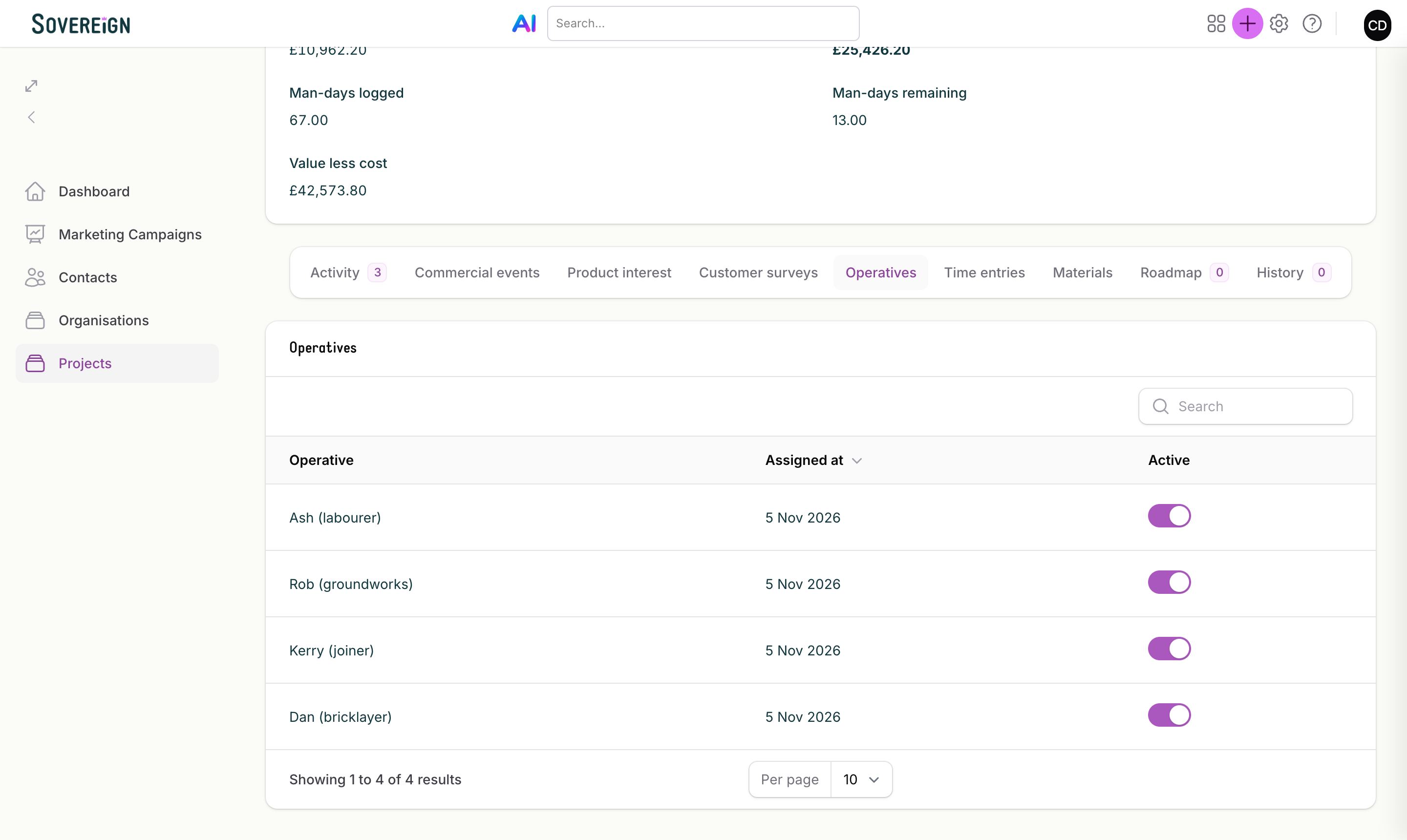
The job is won and moves to Delivering with its reference. Leah puts the bricklayer, the joiner and the groundworker on the project, each at their own hourly rate.
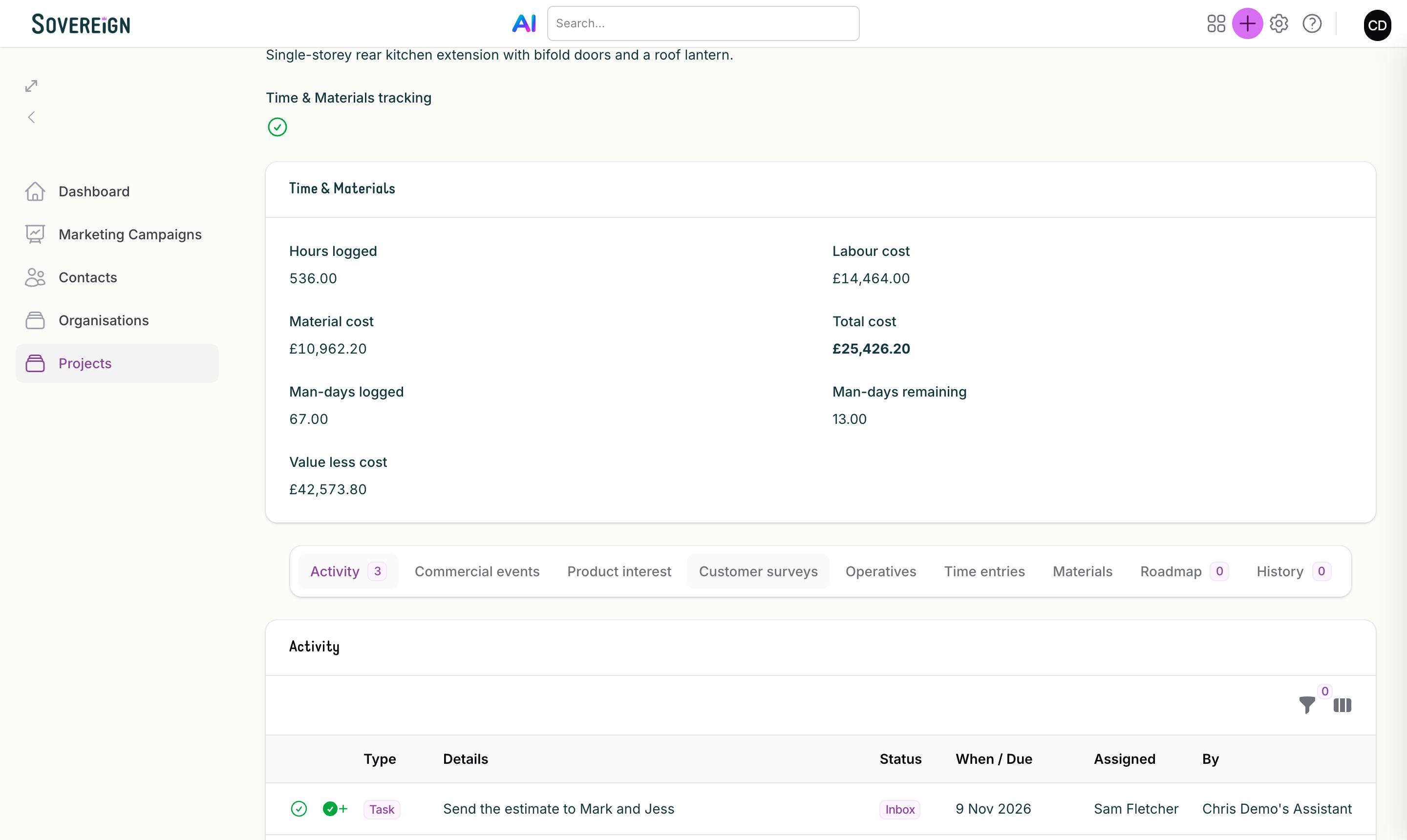
The office logs each person’s hours and the materials used from the product catalogue. The project shows labour, materials, total cost, value less cost and man-days used against the estimate, while the job is still running.
The job is marked complete and a customer survey goes out. When a snag turns up, Mark and Jess report it through the public form with photos, and it becomes a ticket with an owner. The dashboards show won value and the work already committed.
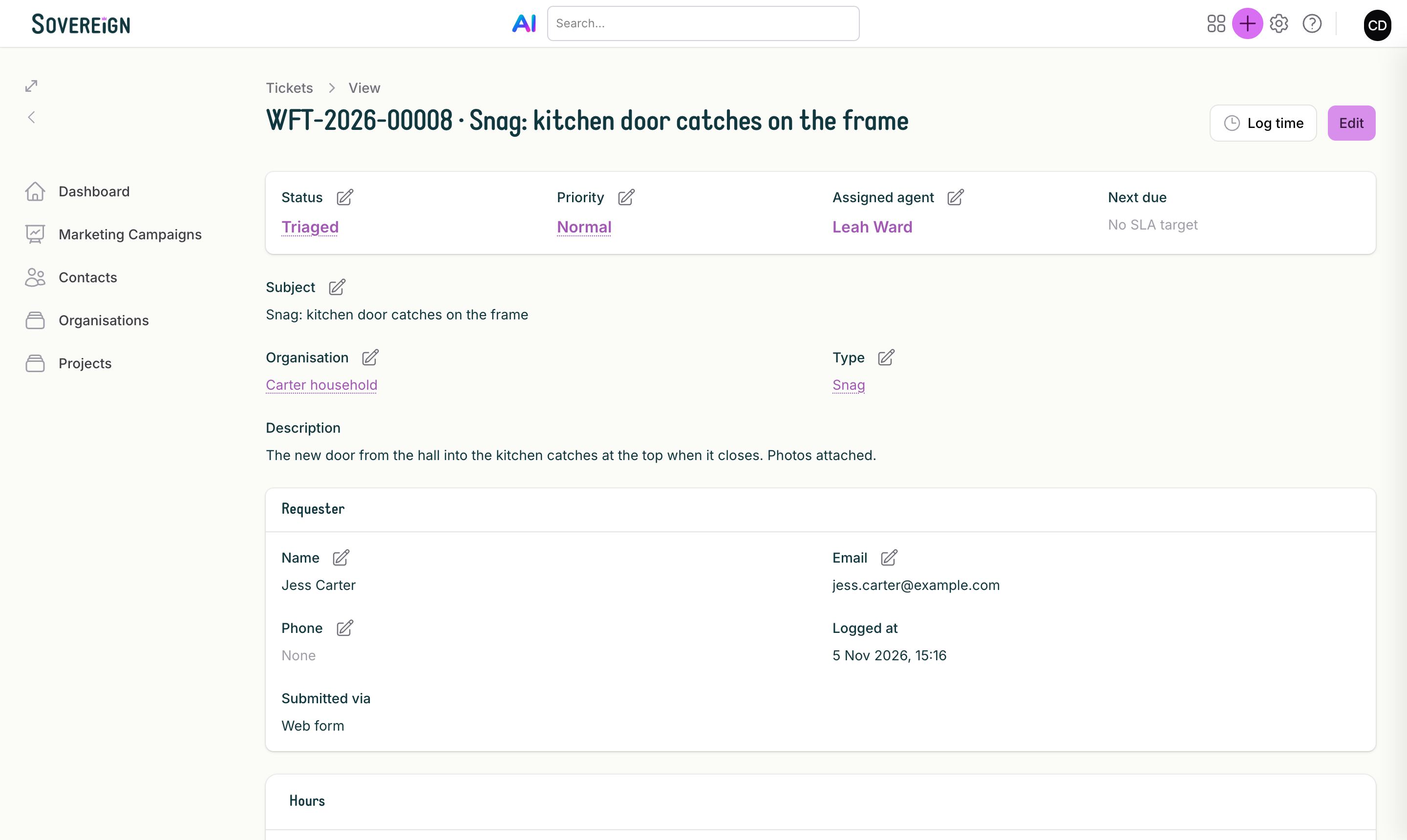
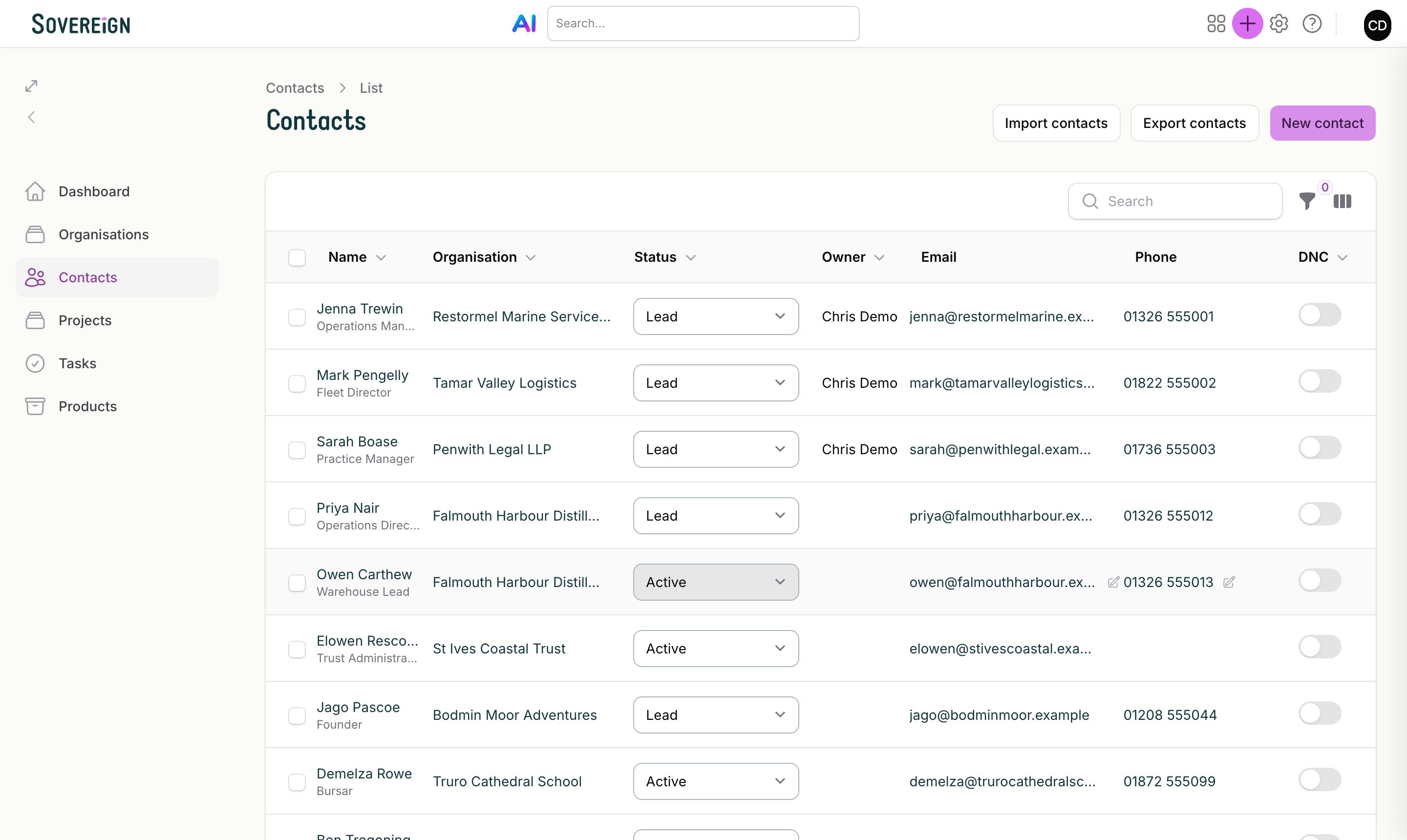
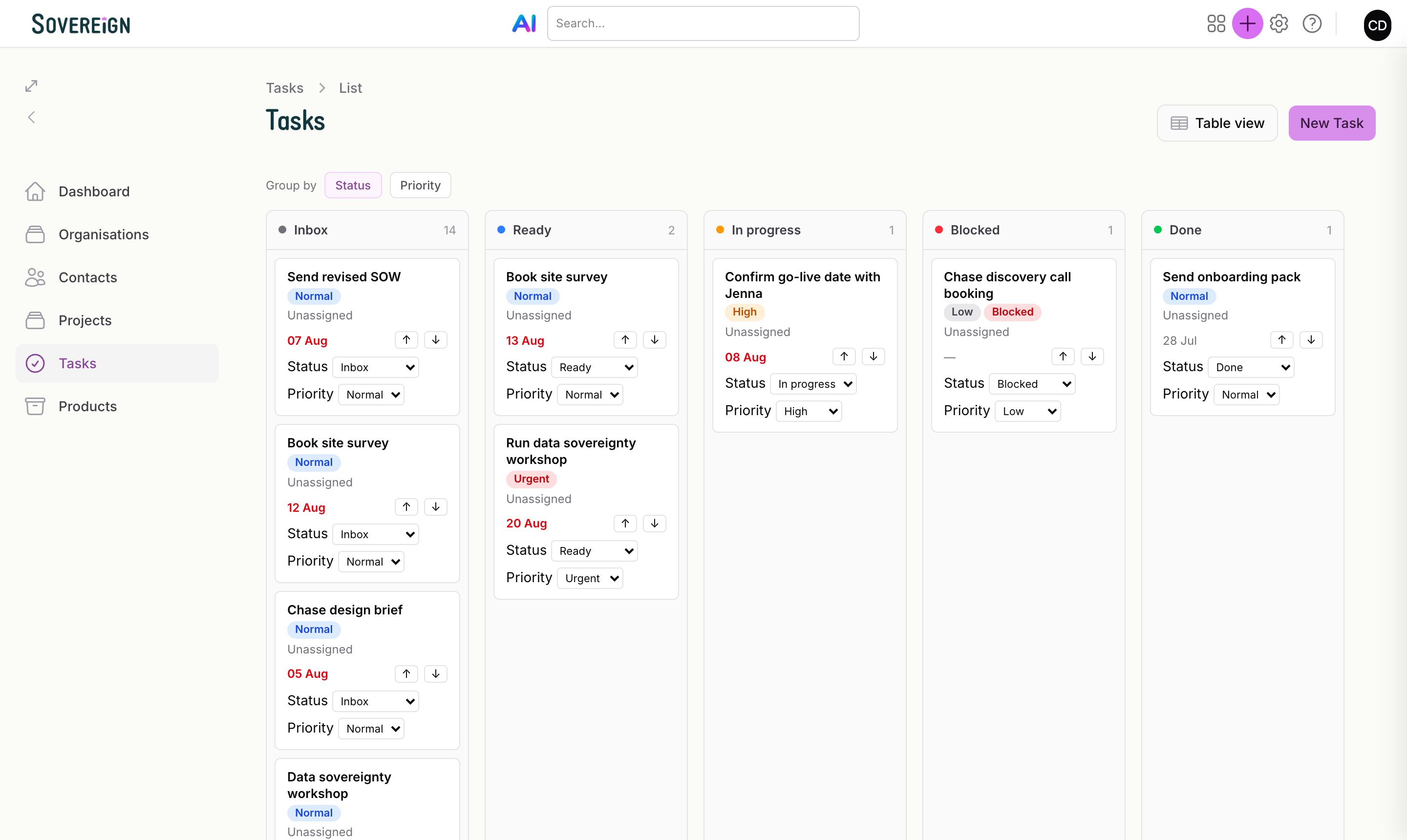
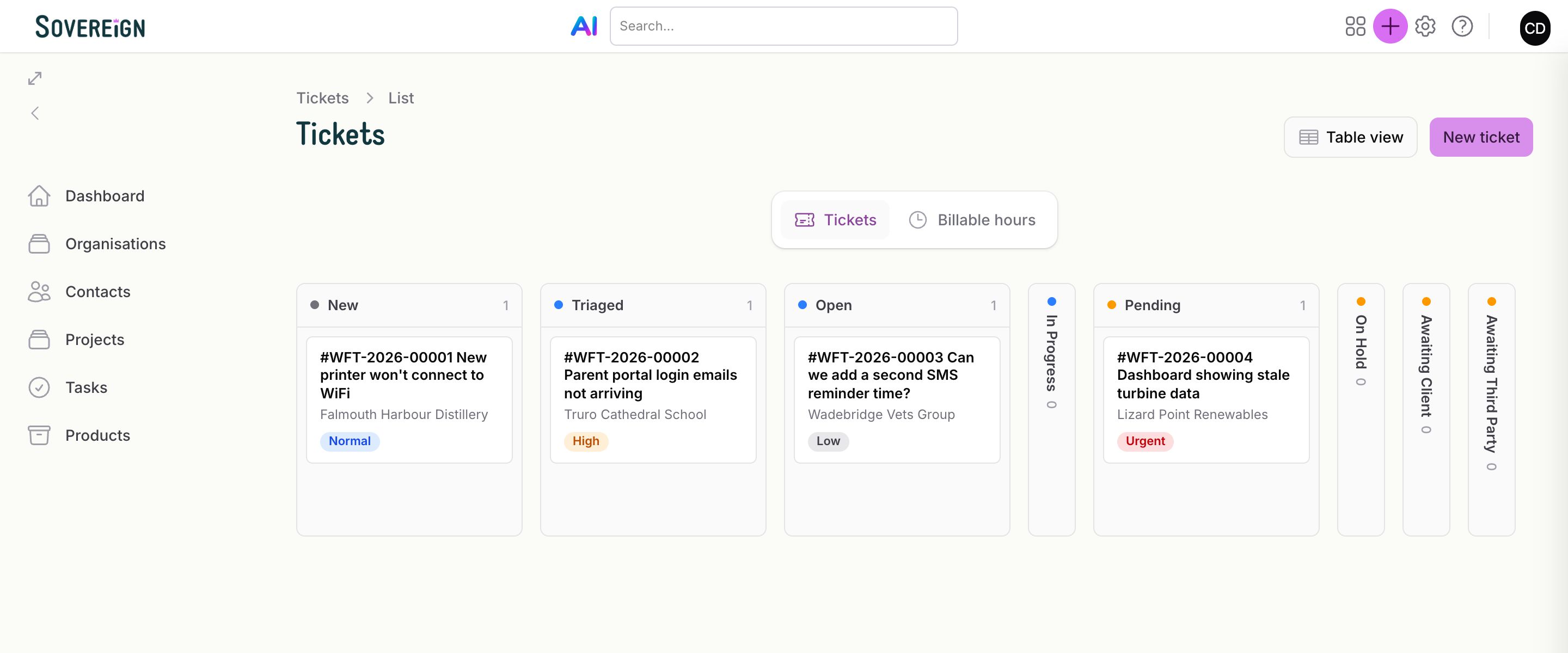
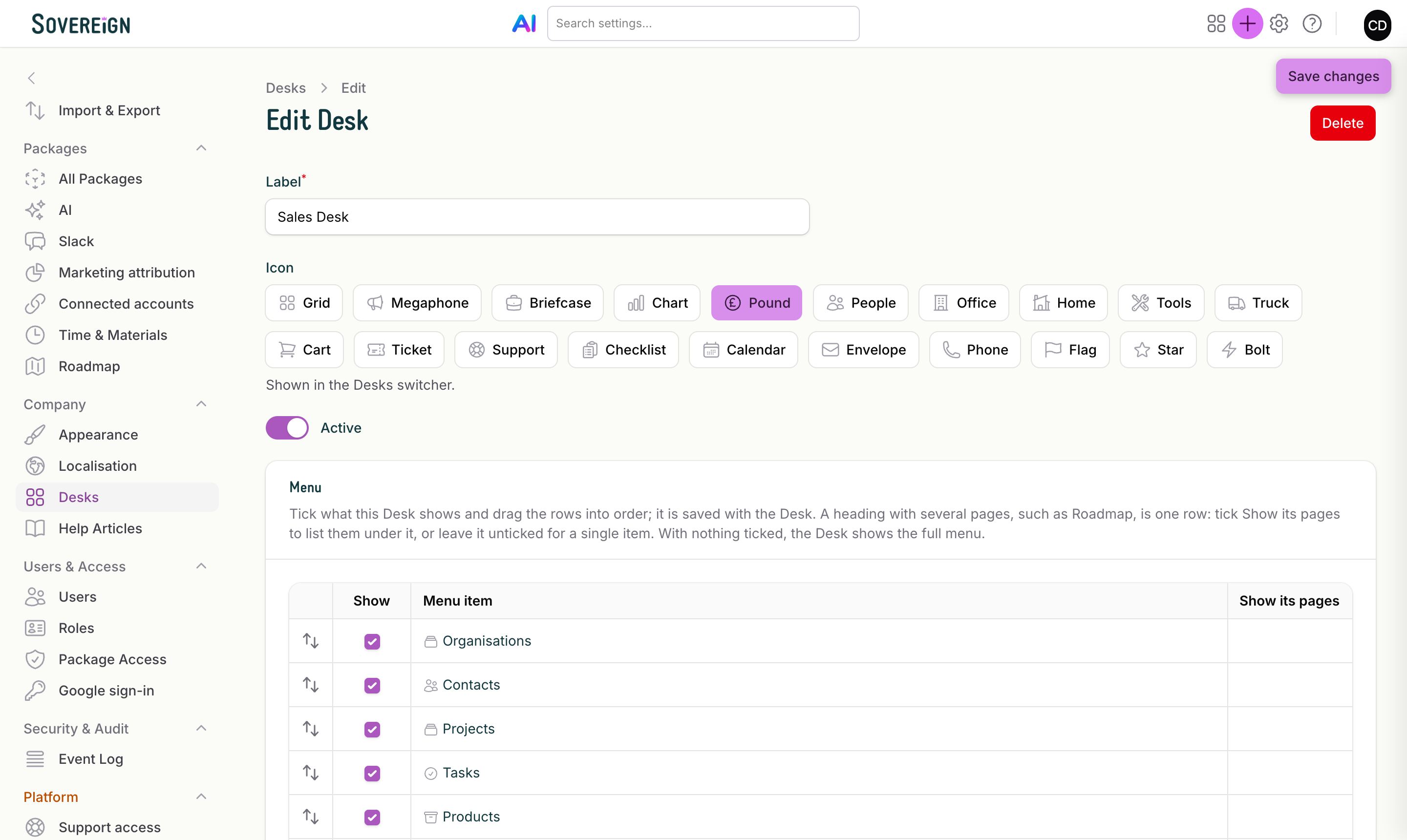
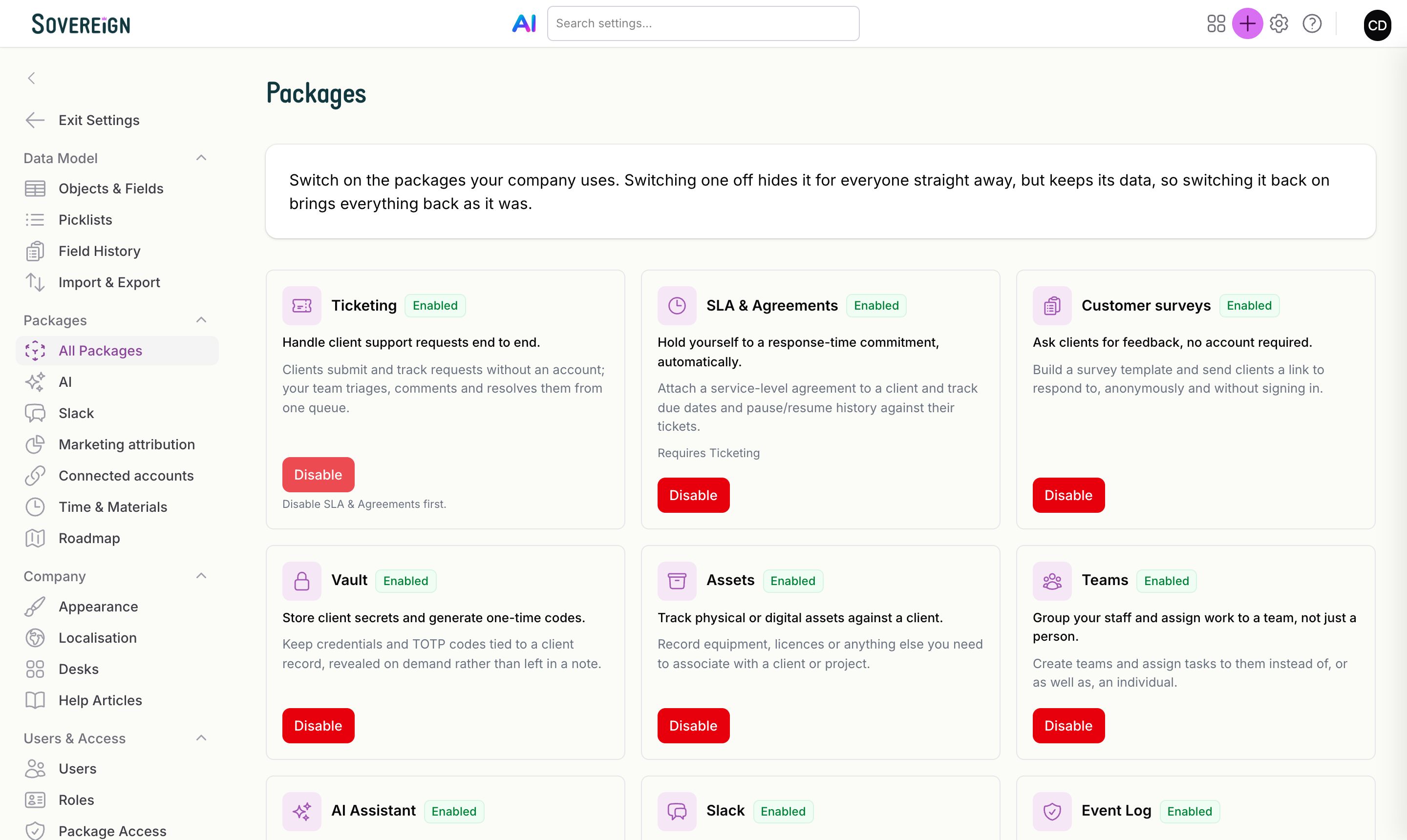
Real screens from SOVEREiGN, with demo data. Click any screen to see it full size.
People, companies and everything that has happened with them, in a list that works like a spreadsheet and a record that works like a file.
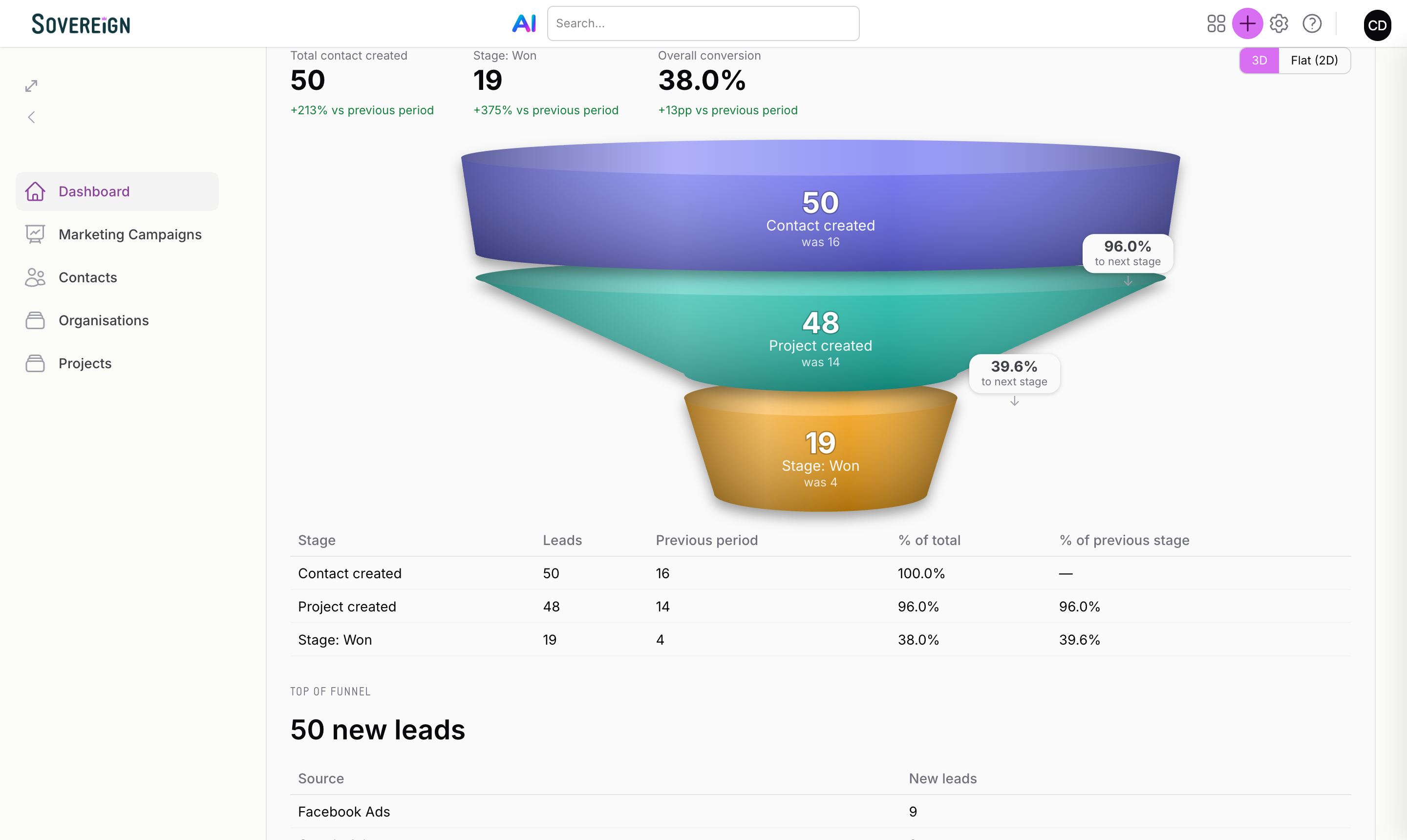
Leads and spend arrive on their own, and the lead funnel shows how many became work, in 3D or flat, against the previous period.
Build a report in a few clicks, chart it, and pin it to a dashboard. Filters on the dashboard flow down to every report on it.
Every task has an owner, a due date and a place on the client or project it belongs to. See the whole team’s work as a board or a table.
Log people’s hours and the materials used against each project, and see the cost, the margin and the time left against the estimate as you go.
Requests arrive from the client portal or by email and land in one queue, each with an owner, a priority and a clear history.
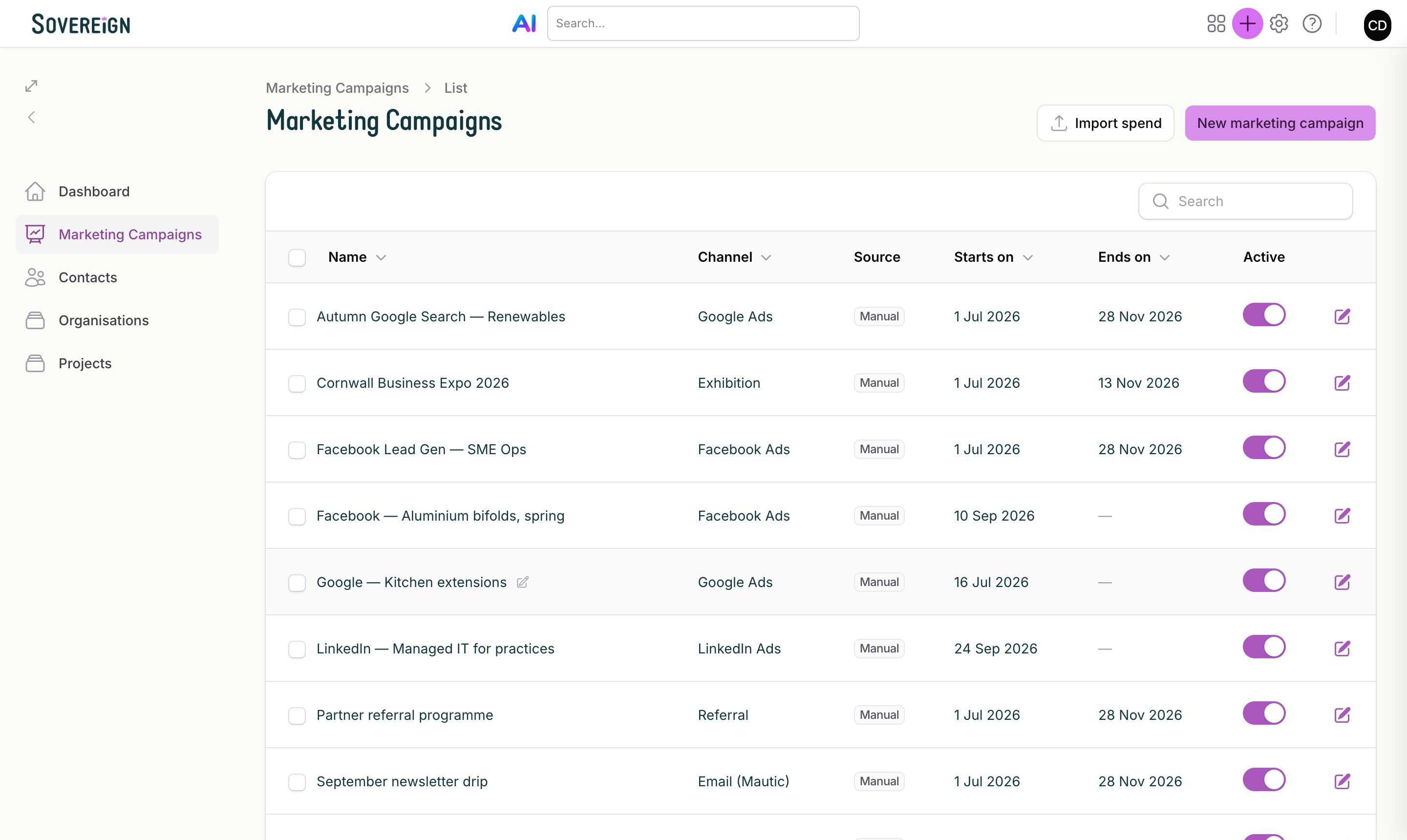
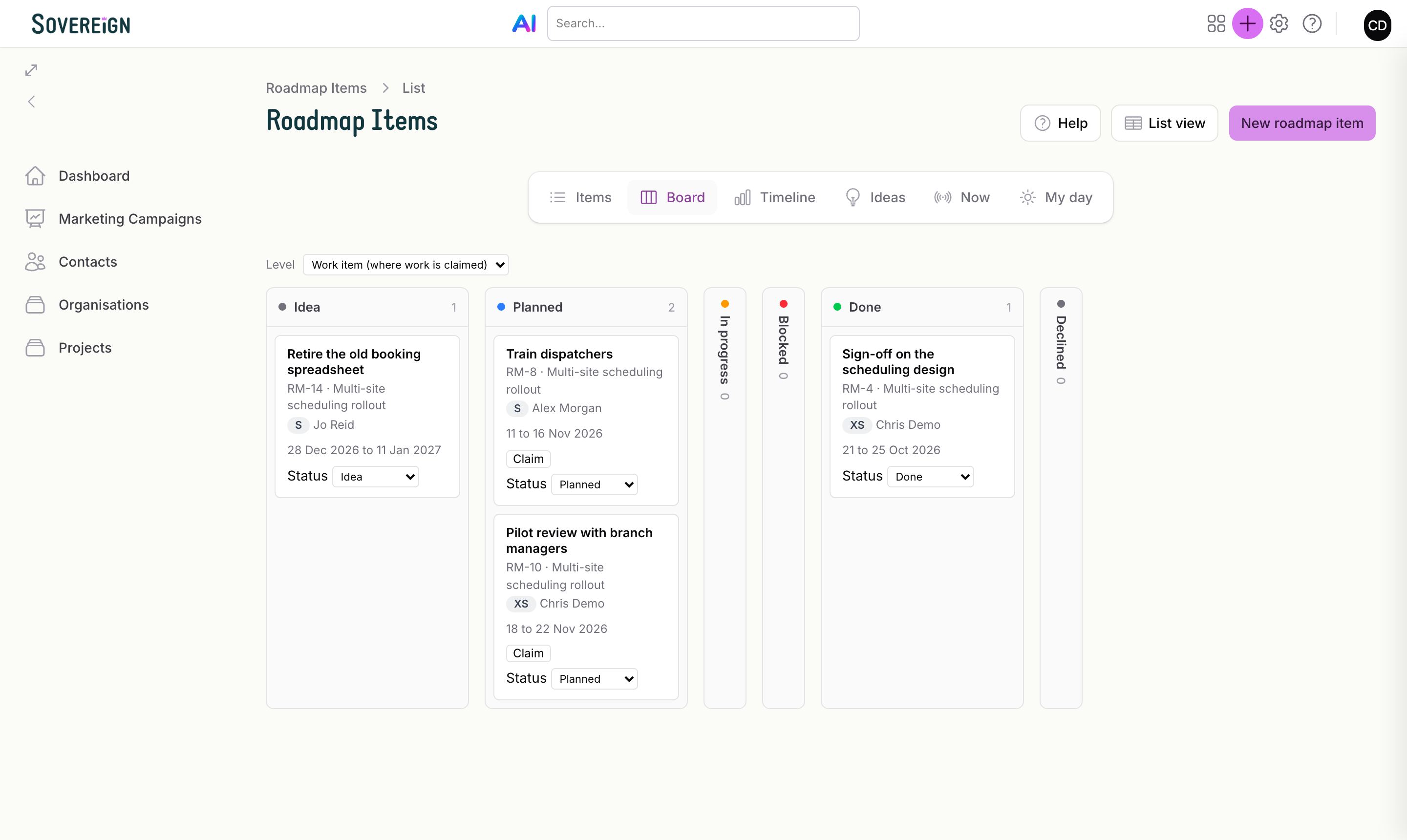
Every organisation gets a small, solid core. Everything else is a package you switch on when you’re ready, and switching one off never throws your data away.
A Desk is a menu and a home dashboard built for one job: sales, marketing, support, or your own team’s day. Everyone starts on the numbers that matter to them, and nothing they don’t need gets in the way.
Not a chatbot bolted on the side. These features are live today, they only see what the person using them is allowed to see, and everything they do is on the record.
Type a question in search, like “what’s overdue?” or “which opportunities close this month?”, and get an answer or a live list from your own records.
Type or speak an update after a call. AI Create drafts the organisation, contacts, opportunity and tasks, links them to what already exists and fixes misheard names.
AI proposes and people decide. AI Activity is your checklist of everything AI drafted, to edit, merge or approve, and your company can require every AI record to be checked.
Ask a question or log an update without leaving Slack, then approve what it drafts with a button. Each person links their own account, so it shows them only what they may see.
Connect your own AI provider with your own key. Personal tokens let tools like Claude read your records too, permission-checked, rate-limited and logged.
AI work is done by an AI user acting for a named person. It can’t do anything that person couldn’t, and every change it makes shows in the audit trail.
Whatever AI Create or Slack drafted for you is grouped as it was created. Edit it, add it to an existing record, mark it checked or delete it, so nothing AI wrote goes unseen.
SOVEREiGN set against the big-name rented CRMs, and against running the business on spreadsheets and separate tools.
| Capability | SOVEREiGN | Big-name rented CRMs | Spreadsheets & separate tools |
|---|---|---|---|
| Ownership and hosting | |||
| Rent it as a subscription | Yes | Yes | Partly Free or per tool |
| Buy it outright, perpetual licence | Yes | No Rent only | Partly Varies |
| Source code held in escrow | Yes With the outright licence | No | No |
| Run it on your own hardware | Yes With our support | No | Partly Varies |
| UK made, owned and hosted | Yes | Partly UK hosting varies by plan | Partly Varies |
| In the box | |||
| CRM, projects, support and job costing in one system | Yes | Partly Usually separate products | No Separate tools |
| Ad leads, spend and attribution, built in | Yes Google, Meta, LinkedIn | Partly Often a higher tier | No |
| Custom fields and objects without a developer | Yes | Yes Often a higher tier | Partly Limited |
| Switch packages off without losing their data | Yes | Partly Varies | No |
| AI and control | |||
| Use your own AI provider and key | Yes Anthropic, OpenAI, Gemini, OpenRouter | Partly Usually the vendor’s own AI, often extra | No |
| A person checks AI drafts before they count | Yes | Partly Varies | No |
| Every change on the record, for people and AI | Yes | Partly Depth varies by tier | No |
| Moving and growing | |||
| A free, full migration plan | Yes | Partly Usually through paid partners | No |
| Custom packages built for you, on the same platform | Yes | Partly Through paid partners | No |
| A full API | Yes | Yes | Partly Varies |
The other columns describe the usual case rather than any one product; plans and prices vary, so check the product you’re weighing up.
SOVEREiGN comes with a full API and the connections below. Building integrations is what we do: if a system you rely on has an API, we can connect it.
Your team signs in with their Google accounts, inside the domains you allow.
Lead form answers and daily campaign spend, arriving on their own.
Facebook and Instagram lead ads, and the spend behind them.
Lead Gen Form leads and campaign spend.
Ask questions, log updates and approve AI drafts from Slack.
Anthropic, OpenAI, Google Gemini or OpenRouter, with your own key.
Connect your own AI tools with a personal token, permission-checked and logged.
Link merge requests to roadmap work and close it when they merge.
Scheduled, optionally encrypted backups to Google Drive.
Import and export any object as CSV, checked before anything is saved.

Time, materials and job costs into your ledger, and invoices and payments back on the record.
Sign-in, mail and calendar with Microsoft as well as Google.
Connect your own systems and AI tools to your records. Access is by personal token, checked against that person’s permissions, rate-limited and logged.
We connect CRMs, finance systems and line-of-business software for a living. Tell us what needs to talk to what, and we’ll scope it with you.

is a Sage Intacct Partner, and two of our directors are certified Sage Intacct consultants. A Sage Intacct integration is on the roadmap: time, materials and job costs into your ledger, and invoices and payments back on the record.
We’ll move you. Get in touch and we’ll write you a free, full migration plan: what comes across, where it lands in SOVEREiGN, and how we’ll check it with you, before you commit to anything.
SOVEREiGN suits businesses whose money depends on winning work, delivering it well and keeping clients coming back.
IT, managed and professional services. Win work, deliver it as projects, support clients against agreements and show the hours you billed.
Enquiries from ads and your website, one project from first visit to completion, and the labour and materials that went into each job.
Manufacturers and fabricators with a long sales cycle: know which channels bring the enquiries that turn into orders, with your product catalogue on the record.
Outgrown spreadsheets, or tired of per-seat price rises and a system you can’t take with you. We’ll plan the move with you, free.
What it isn’t: an accounting system. Your accounts package stays the record for invoices and payments, and SOVEREiGN keeps the work, time and materials that feed it.
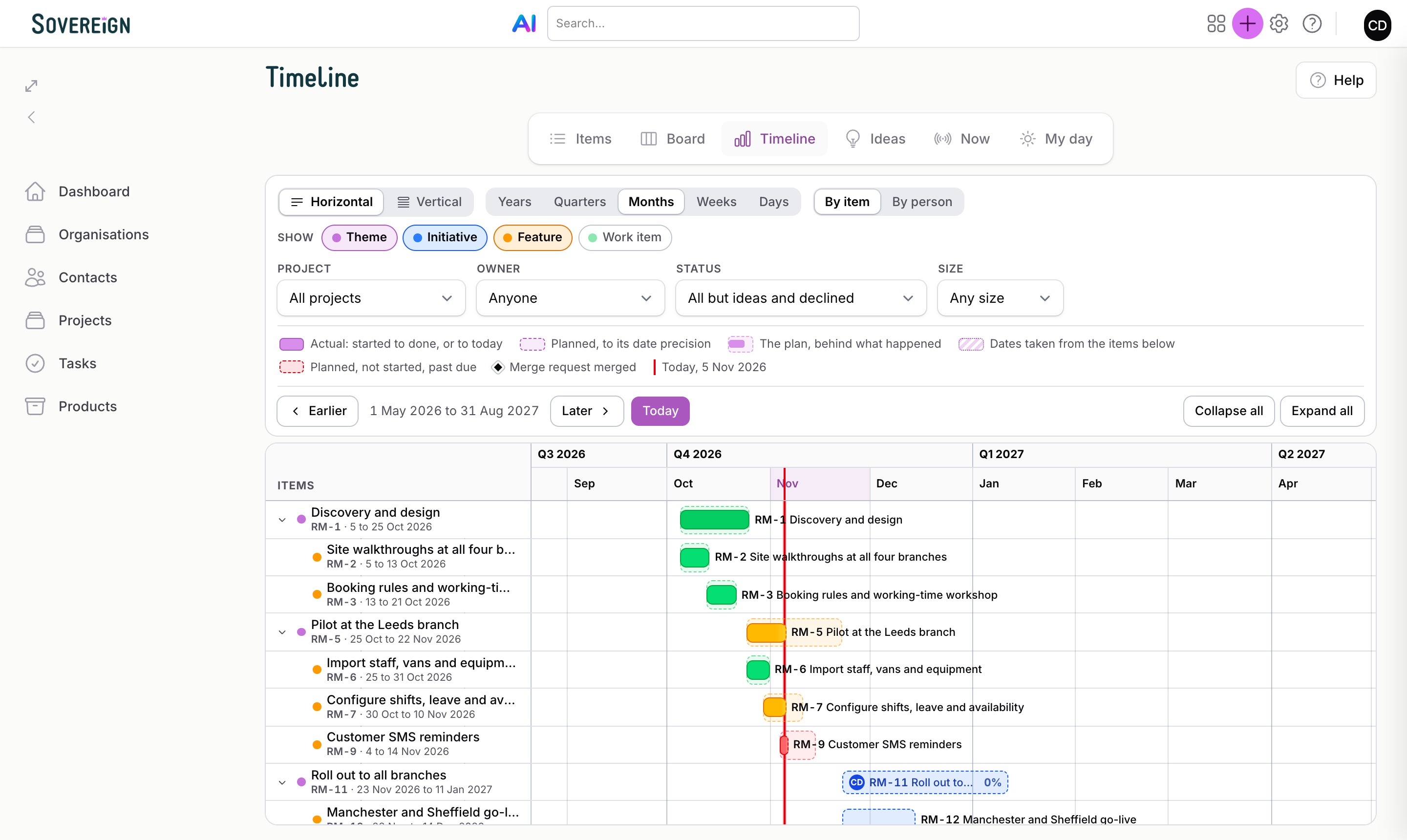
We built the Roadmap package to plan SOVEREiGN itself, and you can use it to plan your own work. Here’s the package, what we’ve shipped lately, and what we’re building next.
A roadmap for every project, from big themes down to single pieces of work, with dates, sizes and owners. Built so nobody starts the same thing twice.
Custom packages, tailored exactly to your business, built far faster and for far less than traditional software development, because we use AI throughout with senior people steering every project.
SOVEREiGN can be rented as an online service for as long as you like, just like any other. Unusually, it can also be bought outright and owned for good. Choose whichever suits your business, and change your mind later if it stops suiting you.
A complete, long-term way to run SOVEREiGN, not a trial. We host it, look after it and keep it up to date, and you pay monthly.
Decide to own it later? A quarter of what you’ve paid comes off the price.*
A perpetual licence. Pay once and the system is yours, with no rent to keep paying.
Renting already? 25% of your rental is credited towards the purchase.*
If you move from renting to owning, 25% of everything you’ve paid in rental is credited towards the purchase price.
* The credit covers up to three years of rental.
We run it for you on servers in the UK. Your data is held in the UK, and we handle the updates and backups.
Run SOVEREiGN on your own servers or private cloud, with our support for installation, upgrades and anything else you need.
Single sign-on inside the domains you allow, on your own branded sign-in page. No new passwords to forget.
Every record belongs to one organisation and is locked to it twice over: in the application and in the database itself.
See who changed what, and when, for people and AI alike, plus a log of every sign-in and export.
Scheduled, optionally encrypted, with a tested restore that keeps a safety copy first.
A short walkthrough using your sort of work. We’ll tell you honestly if it’s a fit.
A free migration plan for your data, and the stages, fields, packages and Desks to suit how you work.
We bring your data across and set everything up, then stay close while your team settles in.
Stay on a subscription for as long as you like, or buy outright, with a quarter of up to three years’ rent credited if you switch.
No. Renting is a complete, long-term way to run SOVEREiGN, for as long as you like, with hosting, backups and updates looked after by us. Buying outright is there if you want it, and if you switch, 25% of the rental you’ve paid, over up to three years, comes off the price.
A perpetual licence for SOVEREiGN, five years of support and updates included, and a source code escrow agreement, set up when you buy. After five years, support and updates continue for 12% of the licence price a year. Host it with us in the UK or on your own hardware.
Buying outright includes source code escrow, set up when you buy, so your system never depends on us staying in business. That’s the point of owning it.
If we host it, on UK servers. If you host it, wherever you choose. Either way each organisation’s data is kept apart twice over, in the application and in the database.
Yes, and from Pipedrive, Zoho, Dynamics, spreadsheets and others. Get in touch and we’ll write you a free, full migration plan before you commit to anything.
Yes, a full API, and connecting systems is what we do. If something you rely on has an API, we can integrate it.
No. Your accounting system stays the record for invoices and payments, and SOVEREiGN keeps the time, materials and work that feed it. is a Sage Intacct Partner, and a Sage Intacct integration is on the roadmap.
Tell us a little about you and what you’d like to see. We’ll come back to you by email to arrange a walkthrough built around how you actually work.
We’ll email you shortly to arrange your demo. If it’s urgent, just reply to that email.
Please check your name, work email and company, then try again.
We’re receiving a lot of requests right now. Please try again in a few minutes, or email us at hello@wayfindertech.co.uk.